开发者让 2000 年乐高摄像头在 Mac 上复活
开发者 Ben Kelly 为 2000 年乐高与斯皮尔伯格电影制作套装中的 Logitech QuickCam Web 摄像头编写了 macOS 驱动 legocam,约 400 行 C 与 Objective-C 代码,无需内核扩展即可在 Zoom、FaceTime 和浏览器中使用。项目基于 libusb 直接与 USB 设备通信,并借鉴 Linux gspca_stv06xx 驱动实现,以 GPL-2.0 开源。
报道正文
本文目录4 个章节
My mum gave me the LEGO & Steven Spielberg MovieMaker Set (1349) for Christmas in 2000. I loved it. The best part was the camera: a little webcam in a LEGO brick body. I clipped it onto my LEGO RC car base to make a spy car, and drove it around as far as the USB cable reached from my little Sony VAIO laptop.
Inside, the camera is a Logitech QuickCam Web, USB ID 046d:0850. No macOS driver has worked for it in a long time. So I wrote one. legocam is about 400 lines of C and Objective-C, and the camera now shows up in Zoom, FaceTime and the browser.
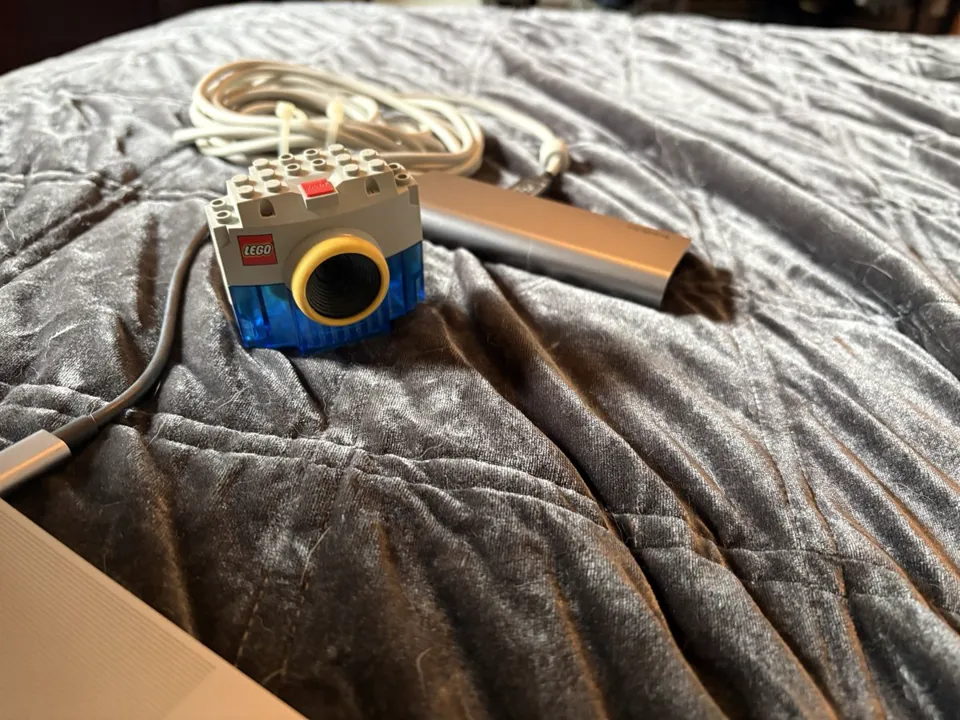
The camera, 26 years on, plugged into a USB-C hub.
No kernel extension needed
Modern macOS makes kernel extensions hard to load, for good reasons. I didn't need one. libusb lets a normal program talk to a USB device directly, so legocam is just a command you run.
The hard part is knowing what to say to the camera. Luckily, Linux still supports it. The gspca_stv06xx driver knows this camera well: an STV0610 USB bridge in front of a VV6410 image sensor. I read that driver and copied the protocol: which registers to write, in which order, to wake the sensor up and start streaming.
The camera sends frames over an isochronous USB endpoint. Each packet has small headers that mark the start of a frame, image data and the end of a frame. legocam stitches the data together and writes each complete frame to stdout: raw 356x292 pixels in a Bayer pattern (bayer_grbg8).
Writing raw frames to stdout keeps it simple. ffplay can show them straight away:
make viewGetting it into Zoom
A command that prints frames isn't a webcam. On macOS, a new camera has to be a signed camera extension, and a free Apple developer account can't sign one.
But OBS already ships a signed one: the OBS Virtual Camera. So I wrote a second small program, obscam. It finds the OBS camera device through CoreMediaIO, opens its input stream, and pushes the frames in, converted to colour with libswscale. The OBS app doesn't even need to be running.
make webcamThen pick "OBS Virtual Camera" in any app.
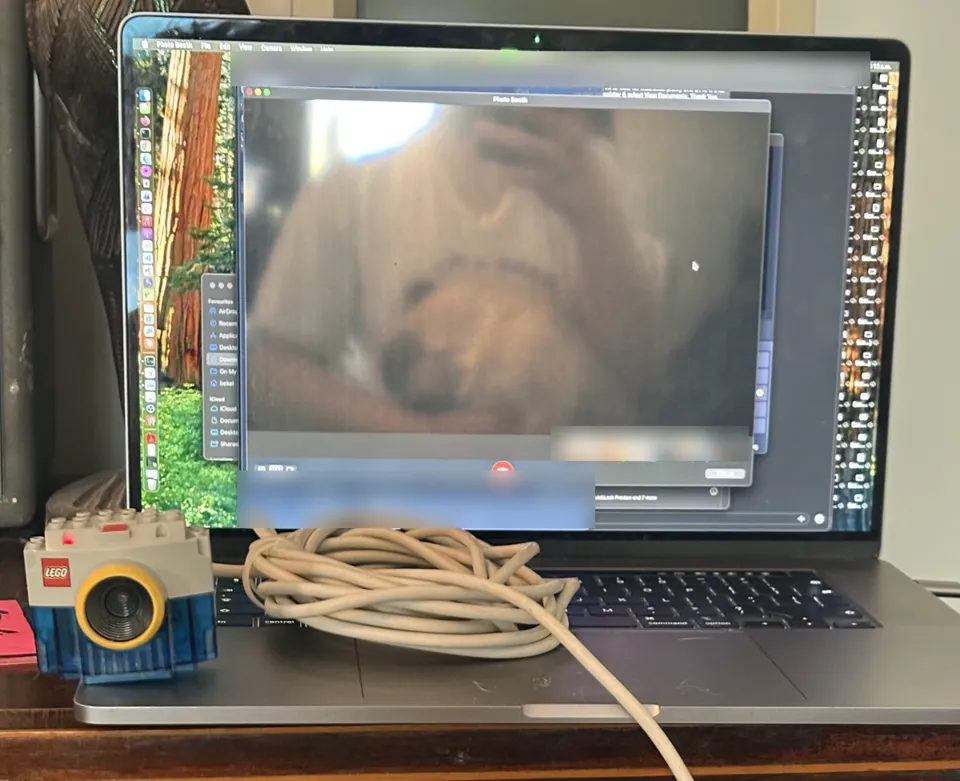
Photo Booth, live from the LEGO camera. The first test subject was Buttercup, one of my pugs.
What it can't do
- It runs at about 5 frames per second. That's the limit of USB 1.1 and the sensor clock, not the code.
- There's no automatic exposure. You set exposure and gain by hand if the picture is too dark or too bright.
- The microphone and the snapshot button don't work yet.
- Apps call it "OBS Virtual Camera", not "LEGO".
I've tested it on an Intel MacBook Pro with macOS 15.7.3. If you try it on Apple Silicon, let me know how it goes.
Thanks to the Linux driver
None of this would exist without the people who wrote and kept up the Linux gspca_stv06xx driver, years ago, for a camera most people threw away. legocam is GPL-2.0, like the driver it learned from.
The code is on GitHub: benkelly/legocam.