Hermit CRM Launches as Free Open-Source Local-First CRM
Hermit CRM 1.1.0 is released under Apache 2.0 as a free, open-source CRM aimed at solo founders and freelancers, storing companies, contacts, pipeline, tasks and dashboards as plain text files on the local machine. It is built around an AI-native workflow: users install it via Claude Code, Cursor, Codex or similar coding agents, then let the AI draft outreach or reshape the CRM itself.
Related Entities
Full Report
Contents6 sections
A CRM for one.
A free, open-source CRM for founders, freelancers and anyone doing their own sales. Your companies, contacts, pipeline, tasks, outreach and dashboards are plain text files on your laptop. Write your own outreach or let your AI draft it, and ask it to reshape Hermit CRM to fit how you work.
- Download it. Download for Mac and Linux
Version 1.1.0 · Apache 2.0
SHA-256 344d9aa5b2572147e18a8c4019e6ca2689cea4f8a781bbbb66384e1ce33bed2a
Use your AI coding tool to install it: Claude Code, Codex, Cursor, Gemini CLI, Grok Build or another. No AI coding tool yet? Install it by hand.
On a phone? Email yourself the link and open it on your Mac or Linux computer. 2. Unpack it and open the folder in your AI coding tool. 3. Send your AI this message:
Read INSTALL.md and set up Hermit CRM for me.
What it does
Feature overview.
Each tile is a page of Hermit CRM, shown as it looks on made-up demo data. Open one to see what it does, with screenshots of the real app.
- [

HomeWhat is due this week, the replies you owe and last month’s numbers, on one page.](https://hermitcrm.io/features/home/)
- [

PipelineA board from prospect to won, plus a follow-up radar for unanswered threads.](https://hermitcrm.io/features/pipeline/)
- [

CalendarOverdue and due-today next steps, a month view, and a brief before each meeting.](https://hermitcrm.io/features/calendar/)
- [

TasksEvery task for every company in one list, with date buttons, filters and your own task types.](https://hermitcrm.io/features/tasks/)
- [
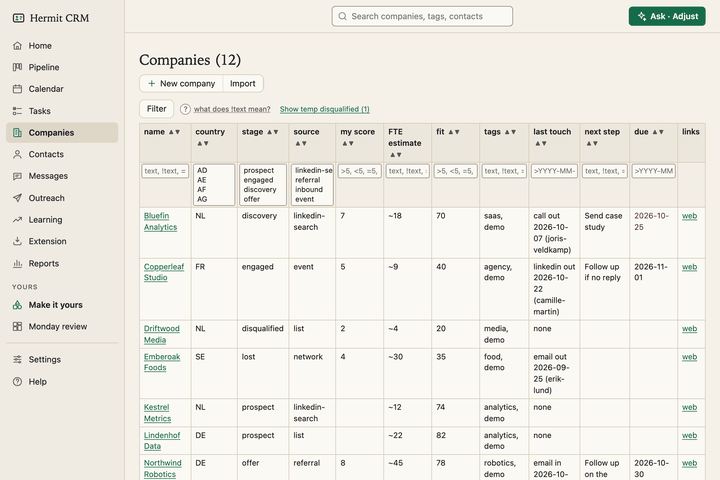
CompaniesSort and filter companies, with one timeline per company of every email, call, note and meeting.](https://hermitcrm.io/features/companies/)
- [
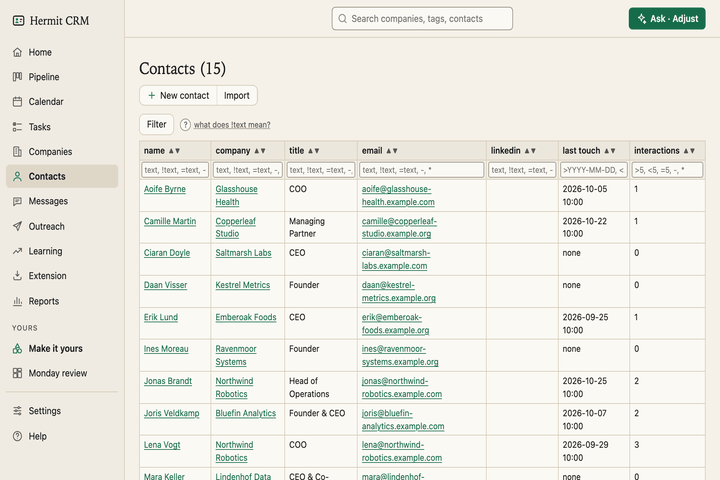
ContactsEvery person across your companies, with a page of their own: roles, history and tasks.](https://hermitcrm.io/features/contacts/)
- [
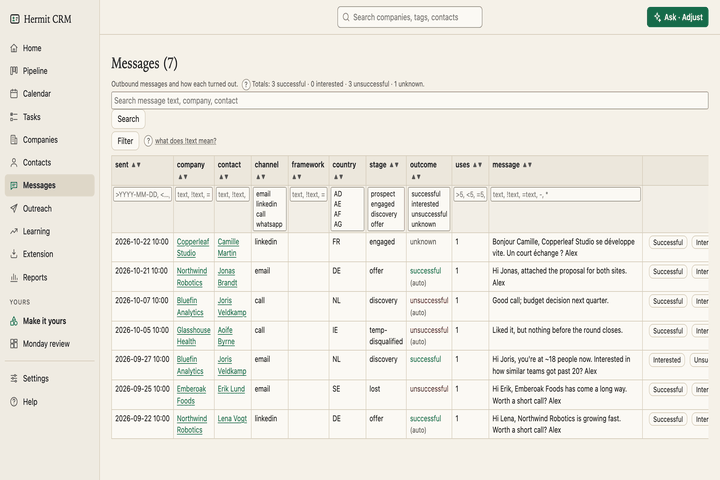
MessagesEvery message you sent, with what came of it, so you can see which wording gets answers.](https://hermitcrm.io/features/messages/)
- [
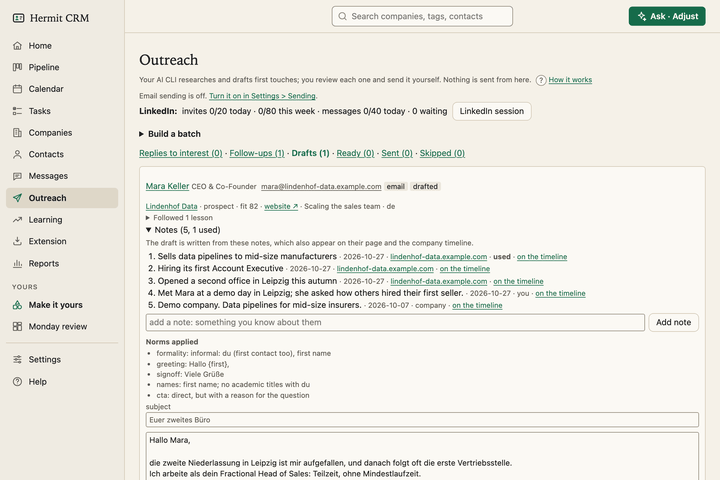
OutreachResearches a company’s website, drafts a first message or a follow-up in your wording, and waits for your approval.](https://hermitcrm.io/features/outreach/)
- [
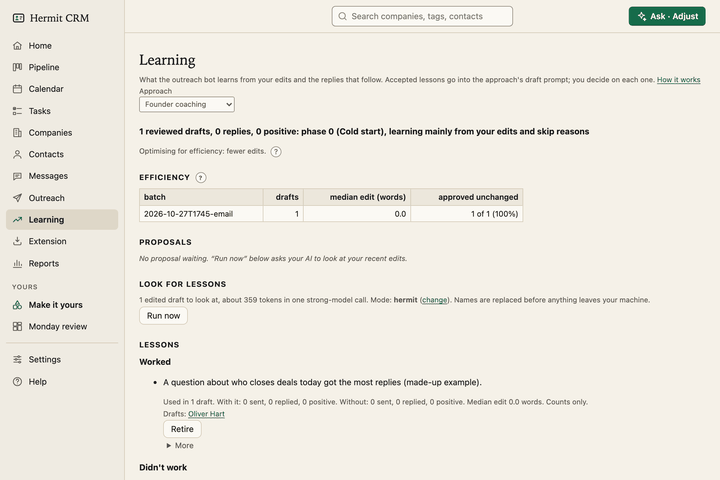
LearningWhat the outreach bot learns from your edits and from the replies, as lessons you accept one by one.](https://hermitcrm.io/features/learning/)
- [

ExtensionTurn the page you are looking at into a company or a contact, from one bookmark.](https://hermitcrm.io/features/extension/)
- [
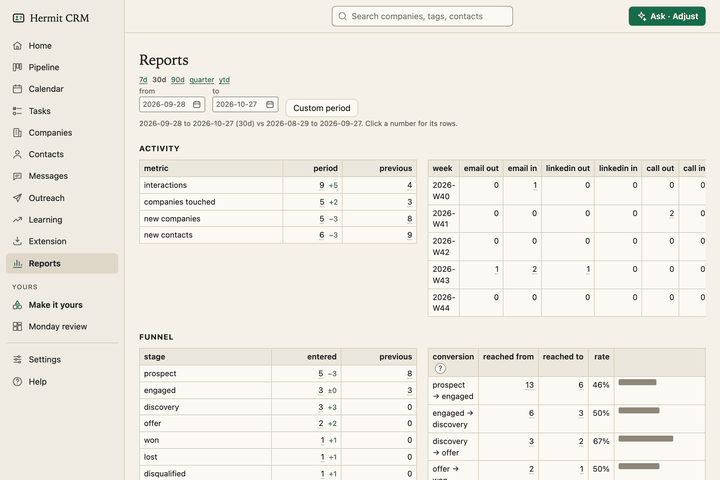
ReportsWeekly activity, funnel and conversion, time in stage, and which messages get answers.](https://hermitcrm.io/features/reports/)
- [
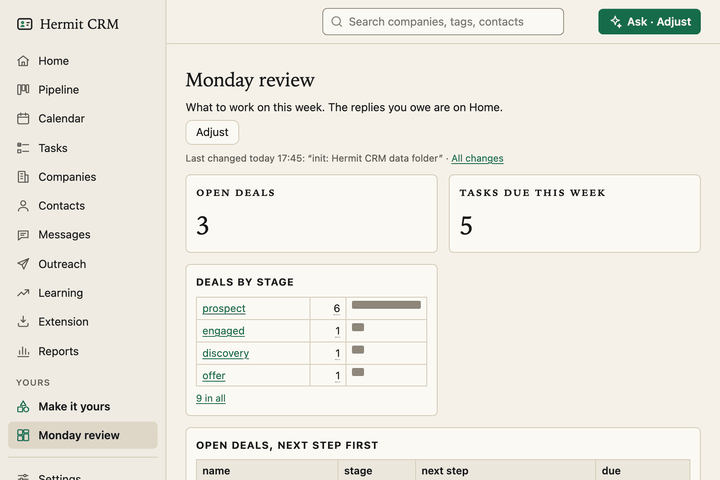
Make it yoursPages of your own with lists, counts and bar charts. Describe one in a sentence, your AI builds it, and you pin it to the sidebar.](https://hermitcrm.io/features/make-it-yours/)
- [
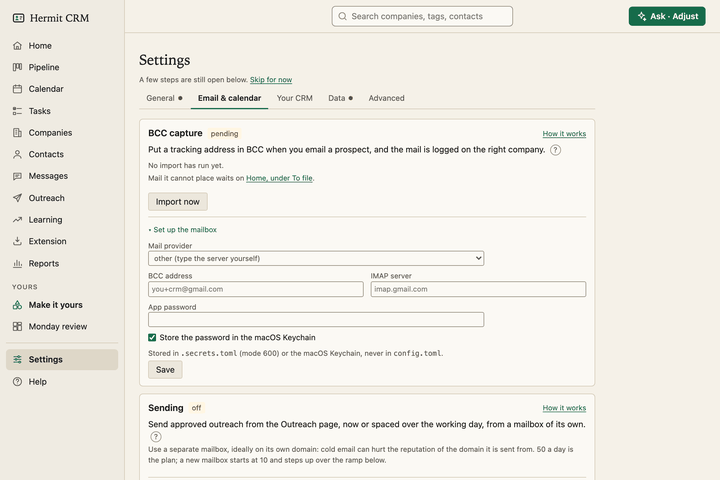
SettingsYour name, mail and calendar capture, backups, fields, deal stages and outcomes, set in the browser.](https://hermitcrm.io/features/settings/)
The idea
One company, one file.
127.0.0.1/pipeline 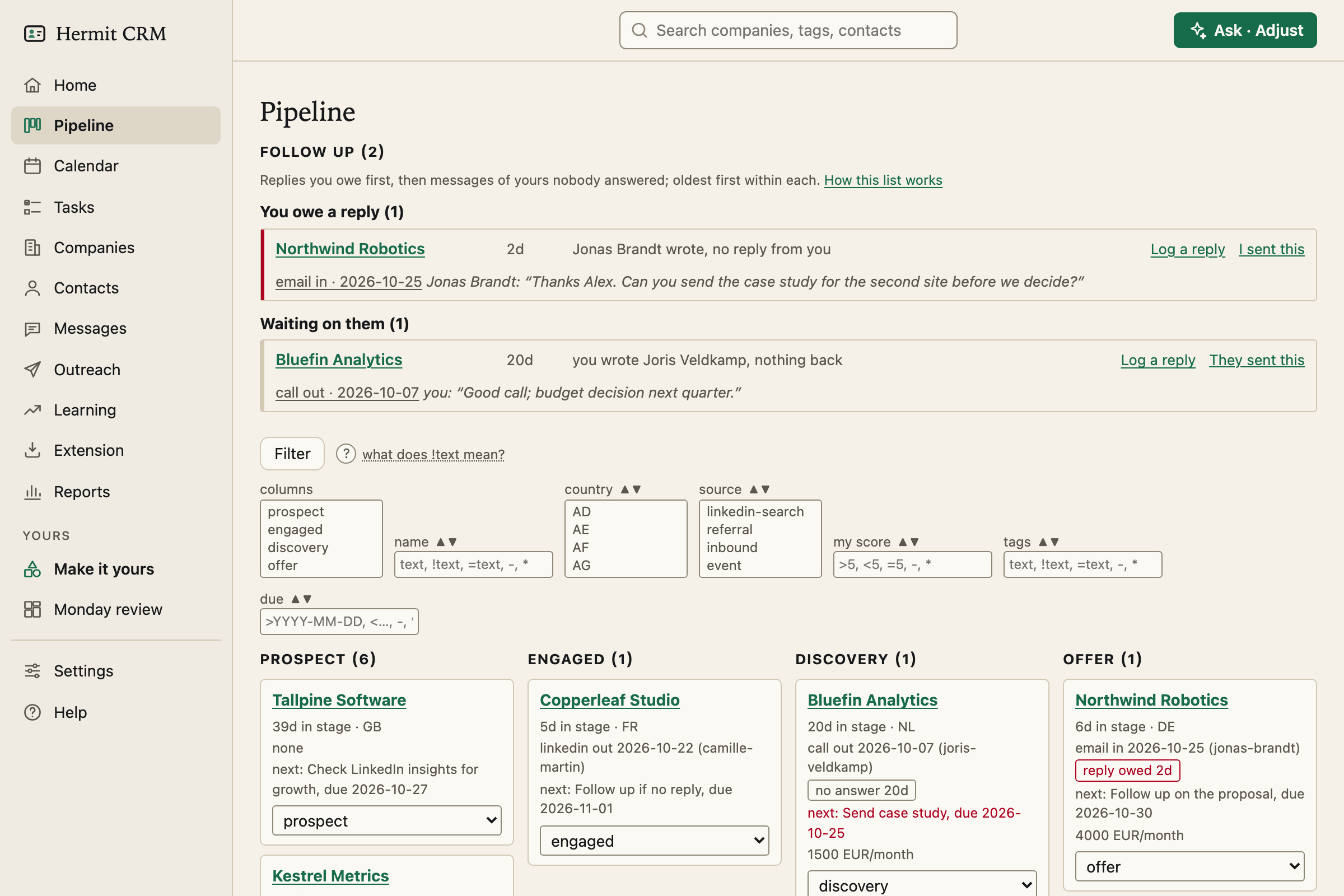
The file behind the Northwind Robotics card:
~/crm/companies/northwind-robotics/company.md
---
name: Northwind Robotics
website: northwind-robotics.com
country: DE
source: referral
stage: offer
stage_changed: 2026-09-15
value_eur_month: 4000
next_step: Follow up on the proposal
next_step_due: 2026-09-24
...
The Pipeline page: every column, card and filter
Adjust
Make it yours, with your own AI.
Say what you want in one sentence. Your own AI agent (Claude Code, Codex, Cursor or Gemini CLI) builds it in your data folder, following recipes that come with Hermit, and you see it on the next page load.
-
A dashboard from one sentence
You type
Make a dashboard called “Monday review” with my open deals, what is due this week and the deals by stage with their value. Pin it to the sidebar.
What changes
One new file, dashboards/monday-review.toml. The page is pinned in the sidebar, and every number opens the records behind it.
127.0.0.1/d/monday-review 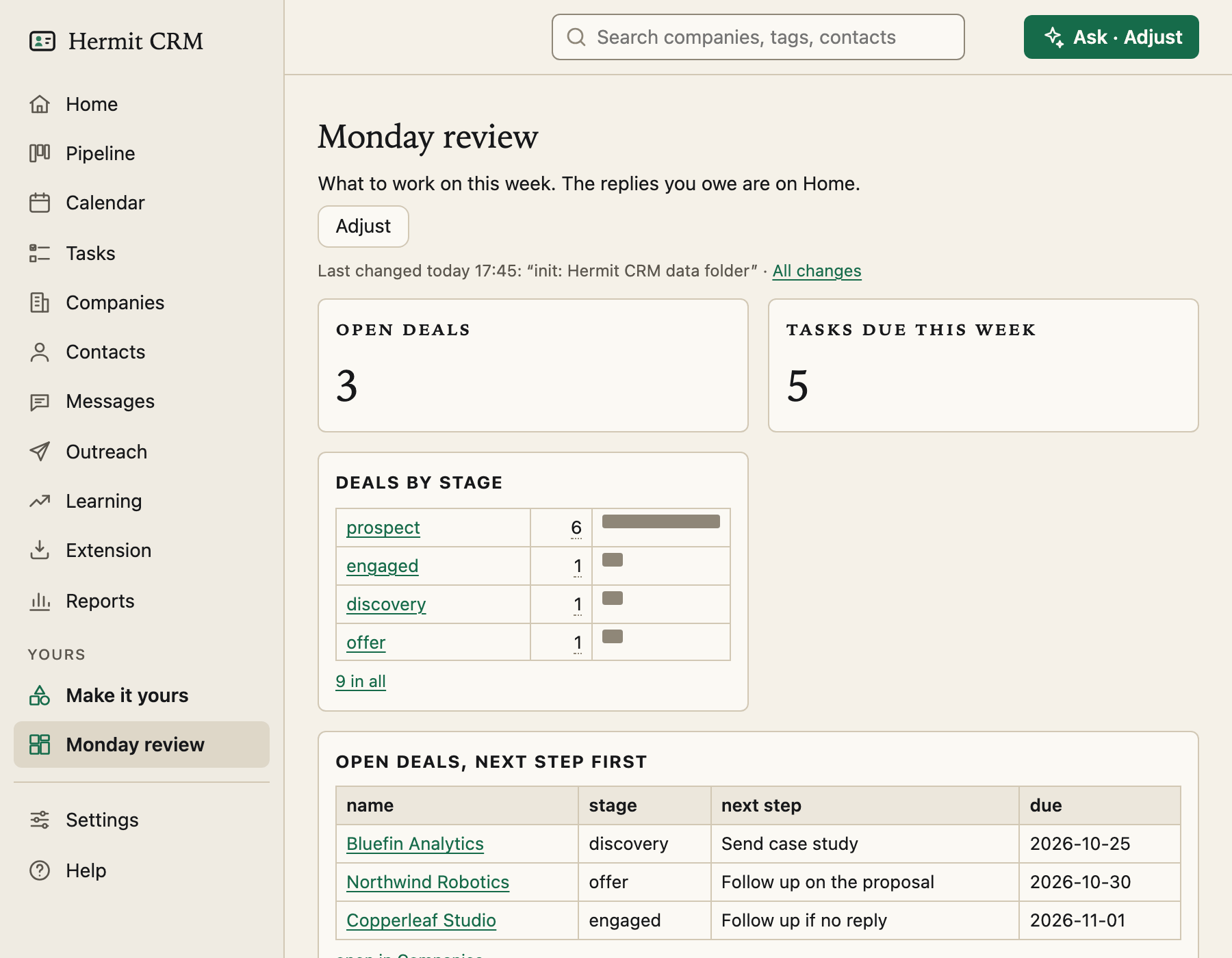 2. ### A new field
You type
Add a “date” field for “contract renewal” to companies, shown on the company page and in the companies list.
What changes
Seven lines in fields.toml. The field shows on every company page, and as a column you can sort and filter in the companies list.
127.0.0.1/companies/northwind-robotics 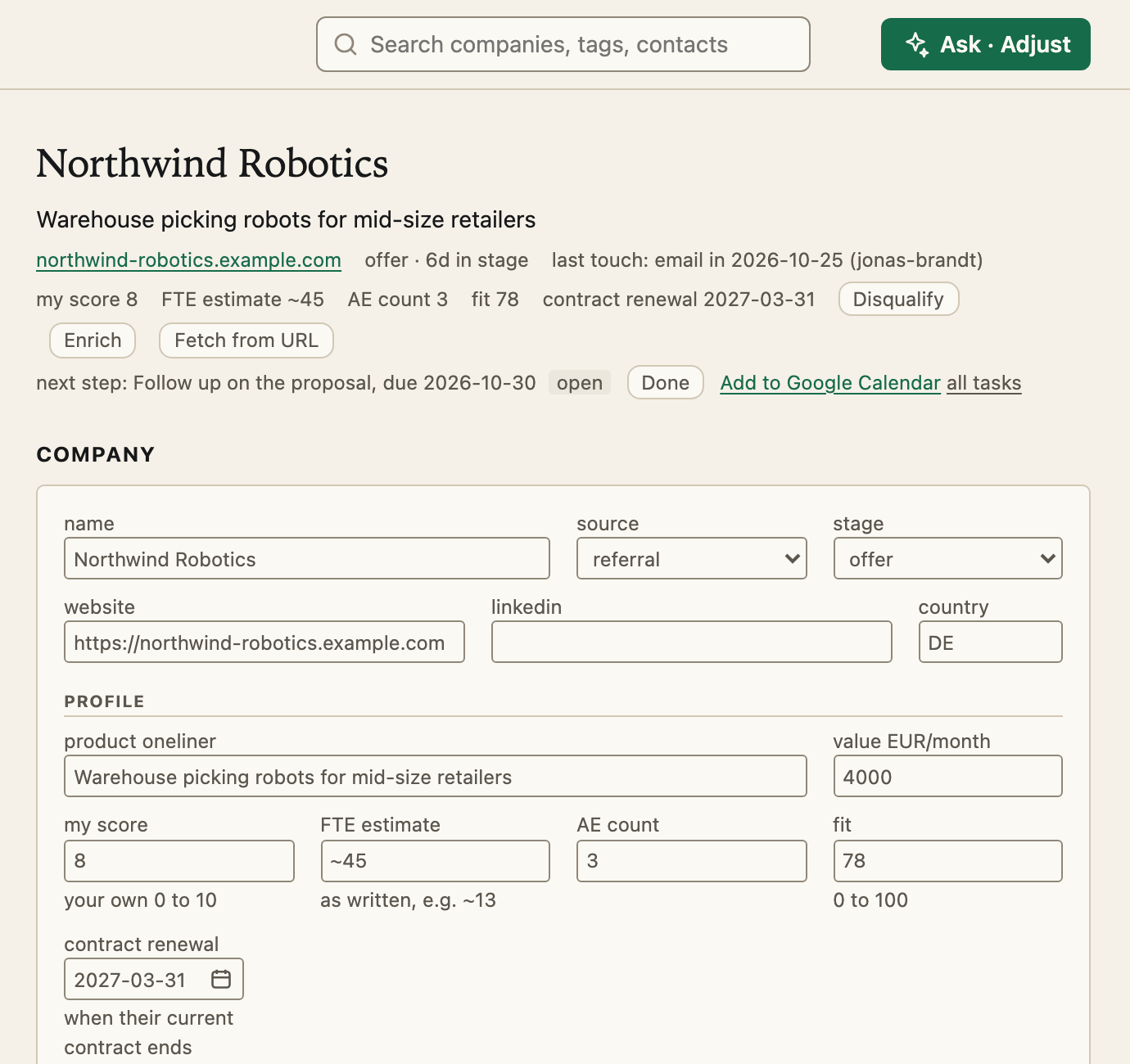 3. ### A routine that drafts follow-ups
You type
Every morning, for people I messaged 7 days ago without a reply, draft a short follow-up. Never send anything.
What changes
A routine in routines.toml. It starts paused, so you see first who it would pick. Once you turn it on, its drafts wait on Home for you to edit and send yourself.
127.0.0.1 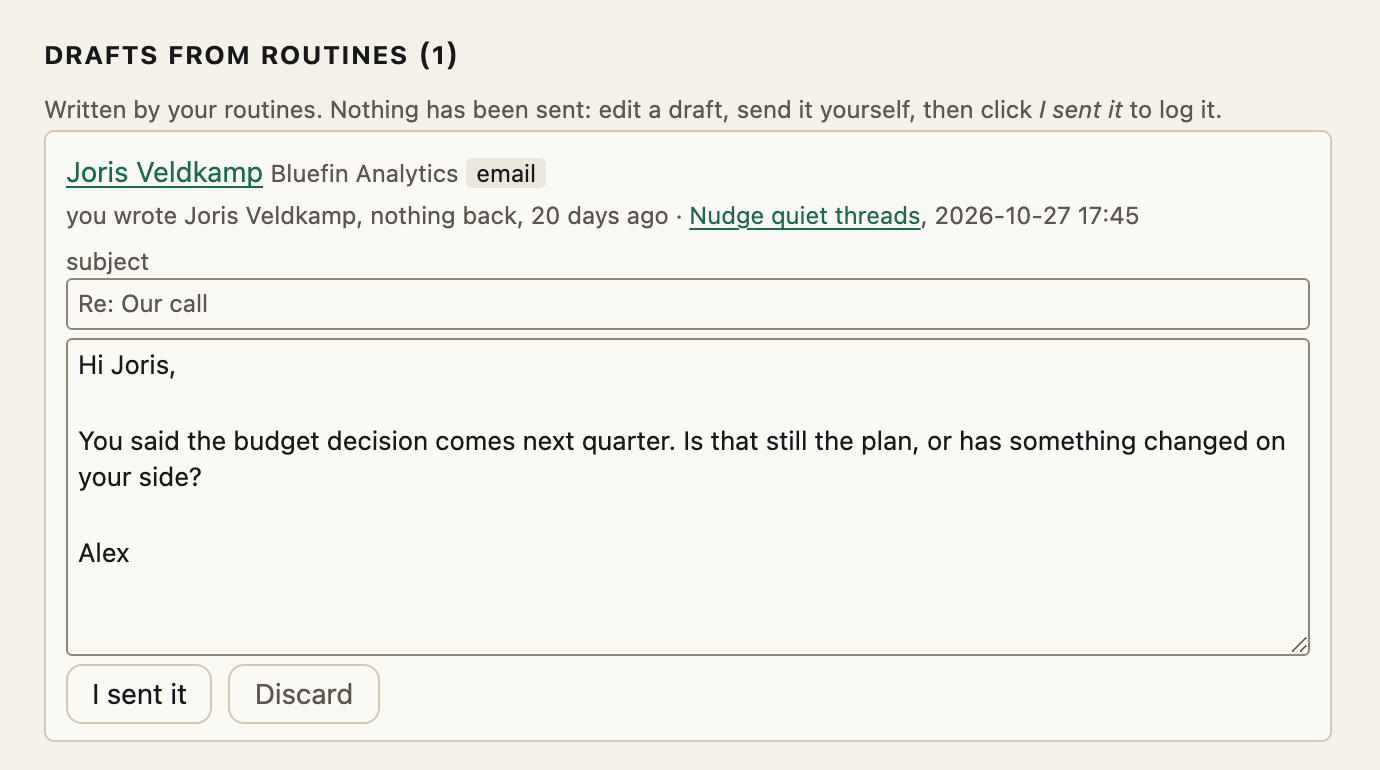
Safe to try. Every change is a git commit you can undo in one click. Routines only write drafts and start paused. Mail goes out only when you approve it, and sending is off until you turn it on.
Make it yours, with all three examples in full
Outreach
Write it yourself, or let Hermit draft it. You decide what goes out.
Choose who to contact. Hermit reads what their website says, drafts a short message in your own voice and in their language, and checks it against your rules. You read it, change it and approve it.
- Choose who. A filter such as
stage=prospect; country=DE, and how many drafts you want. - Hermit researches. It reads the company’s website and shows what it found, with the source of each point.
- It drafts. In English, German, Dutch or French. Hermit follows your playbook, and every draft shows the checks it passed.
- You approve. Edit it, approve it, then send it yourself or switch on sending from your own mailbox. Replies that show interest and threads nobody answered get drafts too.
You stay in charge. Nothing is sent that you did not approve, and sending is off until you turn it on. Every step is saved as a version you can undo.
The Outreach page, with its cards and checks
Your data stays with you. Hermit runs on your computer, not in the cloud. Your companies, contacts and notes are ordinary text files in a folder you own, so you can open, copy or back them up like any document. Technically: Markdown files in a git repository.
Your AI does the admin. Use the AI subscription you already have, such as Claude, ChatGPT or Gemini. There are no credits to buy from a CRM vendor, and Hermit CRM adds no AI bill. Ask what is in your pipeline this week, or to log a call with a contact, and it reads and updates your records for you. Ask Hermit is a question box on every page: ask who you wrote to last week without a follow-up planned, and your AI tool answers from your own records, with links to the people and companies. It only reads and never changes anything. For developers: plain files, a small command line tool and an MCP server.
Yours to change. Press Adjust on any page and describe what you want: a dashboard, a field, a page layout, a routine. Your AI assistant builds it, every change can be undone, and the code is open source.
Questions
Where does my data live?
In one folder on your computer, ~/crm unless you choose another. Every company, contact and conversation is its own plain text file, and Hermit saves a version each time something changes, so any mistake can be undone. Technically: Markdown files in a git repository, and git revert goes back.
What are Markdown and git?
Markdown is a simple text format that any editor can open, so your records are never locked inside Hermit. Git is a free tool that remembers every version of your files. Hermit uses both so that you can read your data without Hermit and undo any change. You never have to type a git command yourself.
Does anything leave my Mac?
Only what you set up or ask for. Mail you approved, once you turn sending on. A private git backup, if you add one. The AI tool you ask, when you use Ask Hermit, enrichment, routines or outreach drafts. A public web page, when you add a company from its address or let outreach research one. Your mailbox and calendar, if you connect them. And a once-a-day version check with no identifiers, which you can turn off.
Do I need to be a developer?
No, but you do need an AI coding tool such as Claude Code, Codex or Cursor to install it, or you can install it by hand with Python and git. Your AI tool runs the commands and tells you in plain words what it is doing. On a fresh Mac you click Install once in an Apple dialog.
Does it run on Linux?
Yes, but it is less tested than on a Mac. The install is the same: your AI tool checks for git and Python and installs what is missing, which on Linux may ask for your password. There is no keychain on Linux, so the mail password is kept in a file only your user account can read.
Which AI tools work?
For the install, any AI coding tool that can read a file and run commands: Claude Code, Codex, Cursor, Gemini CLI, Grok Build and others. Afterwards, Claude Desktop, ChatGPT, Cursor or any other MCP client can read your pipeline and log interactions. An AI tool that wants the whole manual can read the docs, or the same text as one file in llms-full.txt.
Does it work with my email and calendar?
Yes, without OAuth. BCC or forward mail to an address such as [email protected] and it is logged on the right contact. Past meetings come in from your calendar’s secret ICS link (Google, Outlook or iCloud). You type the app password and the link into the Settings page yourself, so they never pass through an AI chat.
Can my team use it?
No. Hermit CRM is built for one person. If you need a team CRM, use one of the others.
How does it compare with HubSpot, Attio or Pipedrive?
Those are hosted CRMs for teams, priced per seat, with your data in their cloud. Hermit CRM is free, for one person, and keeps your data on your own computer. Hermit CRM compared puts it side by side with HubSpot, Attio, Pipedrive, folk, Twenty and Notion, and says when each one is the better choice.
Does it run on Windows?
Not yet. Hermit CRM runs on macOS, and on Linux where it is less tested.
What does it cost?
Nothing. It is free and open source under the Apache License 2.0. It comes with no warranty and no support; see DISCLAIMER.md in the download.
Free and open source. Your data stays in a folder on your computer.
Version 1.1.0 · Apache 2.0
Use your AI coding tool to install it.
作者发帖说明(HN):
I was about to keep track of my clients and prospecting in Google Sheets for my solopreneur business, when I remembered that's exactly what I advise my clients not to do.
Created Hermit CRM, an open source CRM for 1 person. Hermit helps to keep track of deals and prospecting. The platform is built for AI by storing the data in Markdown files in git, stored locally and can be accessed with a web app, CLI or MCP. No telemetry on the app. Building in public, even the website stats are public as well.
It’s macOS first. Linux is less tested, and Windows isn’t supported.
Features I'm proud of: - import somebody from LinkedIn into to the CRM with 1 click - adding a LinkedIn convo to the CRM with 1 click. Both work without LinkedIn or CRM subs.
Don't like what you see? Fork the Hermit with your AI.
Would love to learn how you're using Hermit and where it doesn't fit your workflows.