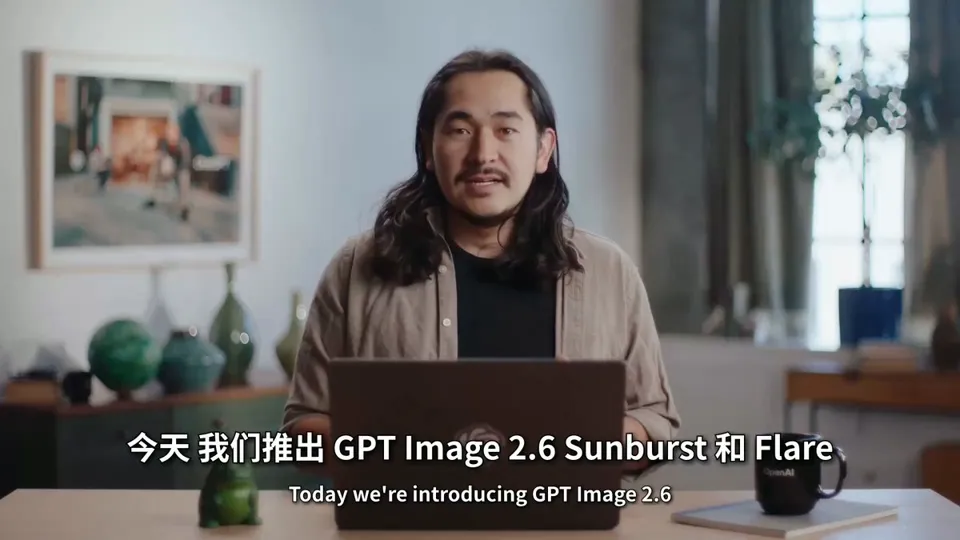
OpenAI 推出 Images 2.6:能导出 SVG 矢量图,还能做 GIF 动图,出图快一半
宝玉 (@dotey) · 2026-11-04 23:46 OpenAI 推出 Images 2.6:能导出 SVG 矢量图,还能做 GIF 动图,出图快一半 OpenAI 11 月 4 日发布图像模型 Images 2.6,ChatGPT 和 Codex 所有档位的用户今天起都能用,电脑、手机和网页版都有。 这次一个重要变化是能把生成的图导出成 SVG 矢量图,可以直接拿去做网站、App 和印刷品。另外还能生成 GIF 动图,出图速度比上一版快 50%,改图时能更准确地只改指定的地方。 开发者可以通过 API 调用这个模型。API 是开发者把模型接进自己产品的接口,按用量付费。OpenAI 说,现在全球用户每周在 ChatGPT、Codex 和 API 上生成 40 亿张图,平均每天超过 5 亿张。 【导出 SVG:图能直接拿去用了】 AI 生成的图通常是“位图”,比如常见的 PNG、JPG。位图由一个个小色点拼成,放大后会变糊,边缘出现锯齿。想把 AI 画的图标、Logo 用到正式场合,通常要设计师照着重新画成矢量图。 SVG 是“矢量图”,记录的不是色点,而是线条和形状本身,比...
Related Entities
Full Report
Contents5 sections
Baoyu (@dotey) · 2026-11-04 23
OpenAI Launches Images 2.6: Supports SVG Vector Export and GIF Animation, with 50% Faster Generation
On November 4, OpenAI released its image model, Images 2.6. It is available today to users across all ChatGPT and Codex subscription tiers on desktop, mobile, and web.
A key update in this release is the ability to export generated images as SVG vector graphics, making them ready for immediate use in websites, apps, and print materials. Additionally, the model can now generate animated GIFs. Image generation speed has improved by 50% compared to the previous version, and edits are more precise, allowing changes only to specified areas.
Developers can access this model via the API. The API serves as an interface for developers to integrate the model into their own products, billed based on usage. OpenAI states that global users currently generate 4 billion images per week across ChatGPT, Codex, and the API, averaging over 500 million images per day.
[SVG Export: Ready-to-Use Graphics]
AI-generated images are typically "raster" (bitmap) formats, such as common PNG or JPG files. Raster images consist of individual pixels; when enlarged, they become blurry and exhibit jagged edges. To use AI-drawn icons or logos in professional settings, designers usually need to manually recreate them as vector graphics.
SVG is a "vector" format. Instead of recording pixels, it stores lines and shapes themselves—for example, "draw a curve from here to there and fill it with blue." Consequently, SVG remains sharp at any scale, allowing the same file to be used for everything from app icons to outdoor billboards. In design software, individual line colors and thicknesses can be modified without redrawing the entire image. Most icons and logos on websites are already in SVG format.
In its announcement, OpenAI stated that SVG export allows designs to be "directly usable in websites, apps, and print materials." This feature is listed under new capabilities for developers; the announcement did not specify whether direct SVG export is available within the ChatGPT interface.
[Animated GIFs]
GIF is a short, looping animation format commonly used for memes on social media. Users can describe an action in a single sentence, or upload a photo or hand-drawn sketch, to have the model create an animation.
Examples provided by OpenAI include animating brand mascots, turning product photos into looping mini-animations, and testing character movements before filming videos.
Partner OpenArt shared sample prompts demonstrating this workflow: first, ask the model to draw six sequential frames arranged in a 3x2 grid within a single image, then play them in order to create the animation.
This technique of combining multiple frames into one image is known as a "sprite sheet," commonly used in game animation. According to Decrypt's coverage of The Verge, ChatGPT's GIF feature is being rolled out gradually. Once created, users can adjust playback speed, view frames individually, and make modifications.
[Two API Versions]
The API offers two versions:
- Flare: Optimized for speed. With quality set to low, it generates an image in approximately 6 seconds. Performance has also improved for layout-heavy images like posters and product shots.
- Sunburst: Optimized for quality. At medium or high quality settings, it preserves more detail and maintains greater consistency in character and product appearance across multiple rounds of editing.
These claims regarding speed and quality come directly from OpenAI; third-party benchmarks are not yet available.
[Other New Features for Developers]
Beyond SVG export, two additional features have been introduced:
- Image Annotation: A feature previously available in ChatGPT has been added to the API. By circling the area to be edited on an image, the model modifies only that specific region.
- Complexity Parameter: Controls how much effort the model spends planning the composition before generating. While the quality parameter dictates detail clarity, the complexity parameter determines how many elements can be included in the scene. OpenAI recommends using low complexity for simple edits and medium or high complexity for scenes with numerous elements or strict requirements.
Design tools like Figma Weave and image editing apps like Picsart have already integrated these updates.
[Pricing]
All ChatGPT and Codex subscription tiers include access to Images 2.6, with no mention of additional fees in the announcement.
According to OpenAI's pricing page, both Flare and Sunburst models in version 2.6 share the same rates: $30 per million tokens for image generation, $8 per million tokens for input reference images, and $5 per million tokens for text input. These prices remain unchanged from the previous generation, 2.5.
While Flare is faster, its per-token price is identical to Sunburst. The batch processing rate card on the pricing page (offering half-price discounts for non-urgent tasks) does not yet list version 2.6.
Google's comparable model, Nano Banana 2.1, launched in October, also charges $30 per million tokens for image generation. Based on Google's pricing conversion, a 1K resolution image costs approximately $0.034.
Original Link: https://t.co/iBqbdnWx79 Source Links: OpenAI API Pricing Page
↳ Quoting @OpenAIDevs (OpenAI Developers): Today, we’re bringing GPT-Image-2.6 to Codex and the API.
Image-2.6 Flare and Sunburst, our two new API image models, generate images 50% faster than before.
At medium or high quality, Sunburst keeps details more consistent from one edit to the next.