Chrome 默认开启 AI 功能被指大量消耗带宽
开发者实测发现,Chrome 默认开启的“AI innovations”与“On-device”功能会持续产生后台网络流量,长期累计可达每月数百 GB。关闭相关设置后带宽消耗立即停止,该问题已引发对浏览器端侧 AI 默认策略的讨论。
报道正文
🔎 Finally solved the mystery. At some point this year (around a few months ago), my bandwidth/data usage went thru the roof. Figured out it was Chrome’s recent AI features. Then got immediate bandwidth-relief after disabling all the “AI innovations” and “On-device” stuff. Here is a screenshot of the settings:
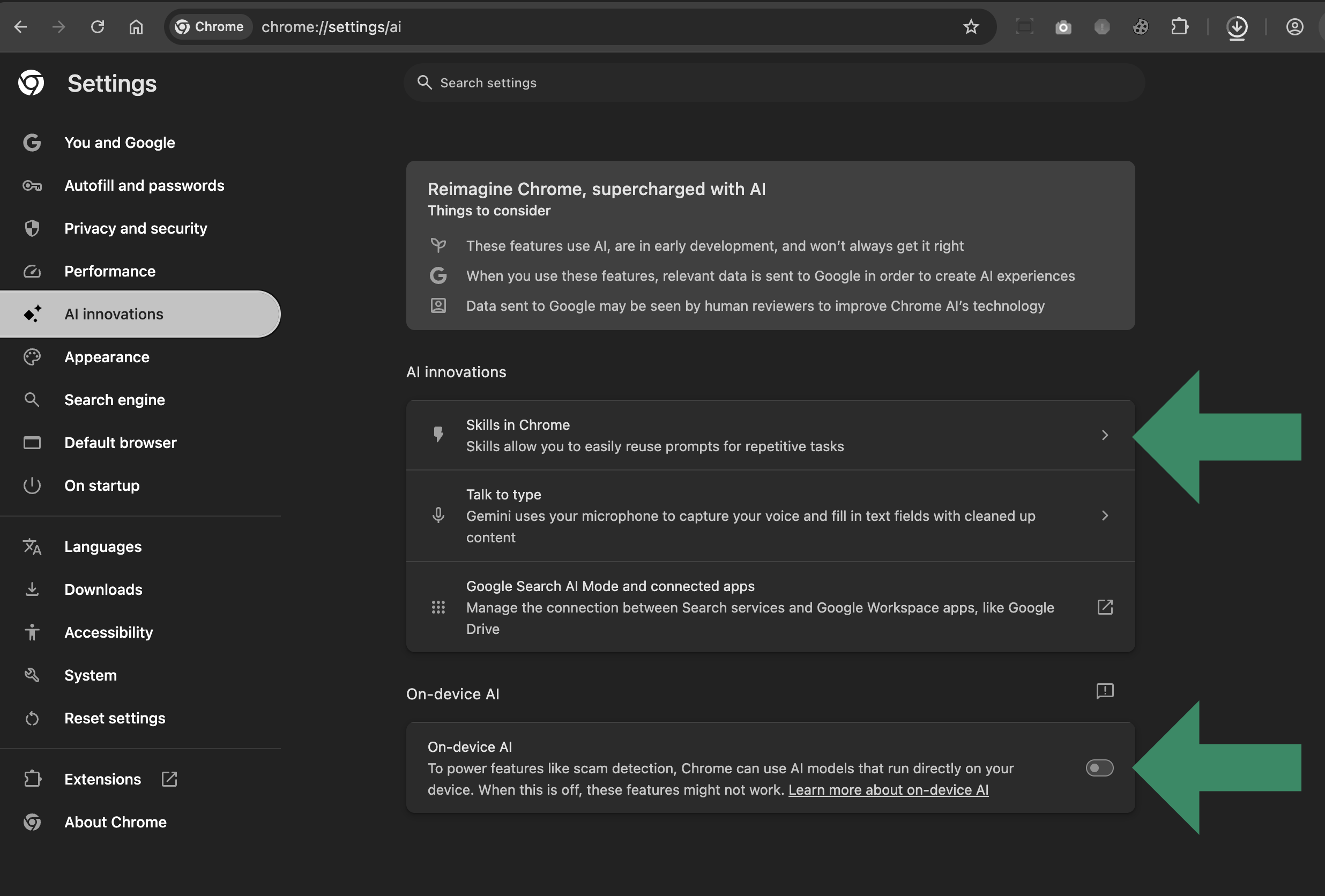 Find the Chrome AI settings under “AI innovations”
I simply disabled everything on that settings page, and the needless bandwidth leakage stopped immediately.
Don’t take my word for it. Fire up your favorite activity/network monitor. Watch the network activity while Chrome’s AI features are enabled, which they are by default. Note the continual bandwidth/data spend coming from Chrome, which if you care to monitor long-term adds up to hundreds of GBs per month (depending on setup, usage, etc.).
After watching the meter spin for a while, go into the Chrome settings and disable all the “AI innovations” and “On-device” stuff. Then return to the network monitor and watch it virtually flatline. Problem solved.
Commentary
Chrome should have left the AI resource hogs disabled by default. Someone do the math on how much energy and bandwidth is absolutely wasted by all the people (such as myself) who never even touch the AI stuff.
Before I disabled the AI settings, Chrome was chewing up literally hundreds of GBs per month. Now multiply that by the number of Chrome users who aren’t using “AI whatever neat”, and you’re talking real numbers. Real waste. For something that serves absolutely no purpose, that’s a ridiculous spend.
That’s all for now, I’m off to try some new browsers. There are quite a few great Chrome-alternatives these days.
About the AuthorJeff Starr = Web Developer. Security Specialist. WordPress Buff.