Hacker News AI · 2026/10/8 22:18:51
开发者逆向 Nokia 110 固件实现 AI Agent:通过数字键盘调用 DeepSeek API 控制手机功能
开发者通过逆向工程 Nokia 110 4G 的固件,将计算器应用改造为原生 AI 聊天客户端。该原型利用数字键盘输入并调用 DeepSeek API,实现了查询电池、开关手电筒、拨打电话等本地设备控制功能,展示了在极低算力(48MB RAM)设备上运行智能体的可行性。
报道全文原始报道全文
本文目录11 个章节
AI on a Nokia 110 4G
I reverse-engineered the firmware of a Nokia 110 4G and built a native AI chat app for it. You type on the number pad, and the agent can use the phone's own functions.
Watch it work
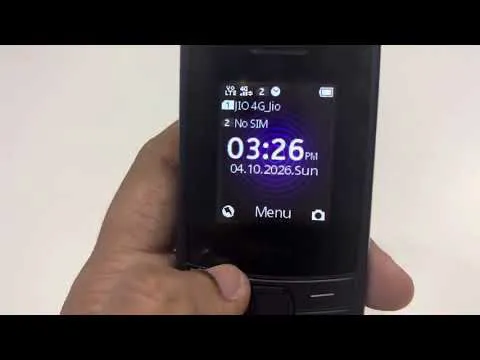
Click the image to watch the demo on YouTube.
What it does
- Answers questions over the phone's SIM data.
- Checks the battery percentage.
- Turns the torch on or off.
- Starts a phone call.
- Sets an alarm.
How it works
Modified the Calculator app into custom chat app. It sends your message to DeepSeek chat API and use tool calls accordingly.
I used OpenAI Codex to help build it and tested the app on the handset.
Where it stands
It's a working prototype loaded into RAM from a computer. Once loaded, it can run unplugged using mobile data. We can add as many feature as we want and make almost all the operation in nokia 110 automated. After a restart or power-off, it needs to be loaded again.
How I got here
Phase 1: Start with the browser
I first added an AI search option to Opera Mini. That gave me a starting point, but it was still a browser workaround and can't integrate agent with this. The next goal was an app running on the phone that could use its native functions.
Phase 2: Get my own code running
There was no supported way to install a native app. I studied the firmware and boot process, then got custom code running in RAM through the Calculator entry point. That let me test without flashing modified firmware. Permanent installation is still unresolved.
Phase 3: Get a real answer over SIM data
A working data connection wasn't enough: requests could be submitted without an answer reaching the app. I traced the firmware's response callbacks and overall flow. I started with one fixed question, confirmed the answer with USB unplugged, then added typed questions.
Phase 4: Make the chat usable
Tried to replace calculator layout with text input box. Stock Calculator drawing also got in the way. I changed the layout and key handling. Later, a colour change caused restarts; tracing the firmware showed I had written to the wrong style field. Fixed it.
Phase 5: Turn chat into actions
The next goal was to let the AI use real phone functions. As the phone memory is only 48MB, normal agent code wont fit, so created a very simple custom agent, used smaller builds, compressed the payload and reused buffers. Then tested each feature mentioned above one after other.
Source code
I haven't uploaded the code because sensitive data is scattered across the project.
作者发帖说明(HN):
I was using this mobile to reduce my screentime. Recently got the idea to put ai agent in it. Started with installing android, but failed as it has only 48MB RAM. Then reverse-engineered for few days and finally able use AI Agent in this and automated few actions.
Thanks