Gradio 集成 Hugging Face Hub 简化模型演示部署
Gradio 推出与 Hugging Face Hub 的深度集成,允许开发者通过几行代码直接调用 Inference API 展示模型。该功能结合 Hugging Face Spaces,极大降低了机器学习项目从本地测试到社区共享的部署门槛。
关联知识实体
报道正文
本文目录5 个章节
使用 Gradio 在 Spaces 中展示你的项目
发布于 2021 年 10 月 5 日 在 GitHub 上更新 点赞 14
得益于 Gradio,演示机器学习项目变得非常简单。
在这篇博客文章中,我们将引导你了解:
- 近期推出的 Gradio 集成功能,它利用 Inference API,只需几行代码即可轻松演示 Hub 上的模型。
- 如何使用 Hugging Face Spaces 来托管你自己模型的演示应用。
Gradio 中的 Hugging Face Hub 集成
你可以轻松地演示 Hub 上的模型。你只需要定义一个 Interface,其中包含:
- 你想要用于推理的模型的仓库 ID
- 描述和标题
- 用于引导受众的示例输入
定义好 Interface 后,只需调用 .launch(),你的演示应用就会开始运行。你可以在 Colab 中完成此操作,但如果想与社区分享,使用 Spaces 是一个绝佳的选择!
Spaces 是一种简单、免费的 Python ML 演示应用托管方式。为此,你可以在 https://huggingface.co/new-space 创建一个仓库,并选择 Gradio 作为 SDK。完成后,创建一个名为 app.py 的文件,复制以下代码,你的应用将在几秒钟内启动并运行!
import gradio as gr

description = "Story generation with GPT-2"
title = "Generate your own story"
examples = [["Adventurer is approached by a mysterious stranger in the tavern for a new quest."]]

interface = gr.Interface.load("huggingface/pranavpsv/gpt2-genre-story-generator",
            description=description,
            examples=examples
)

interface.launch()你可以在这里体验故事生成模型
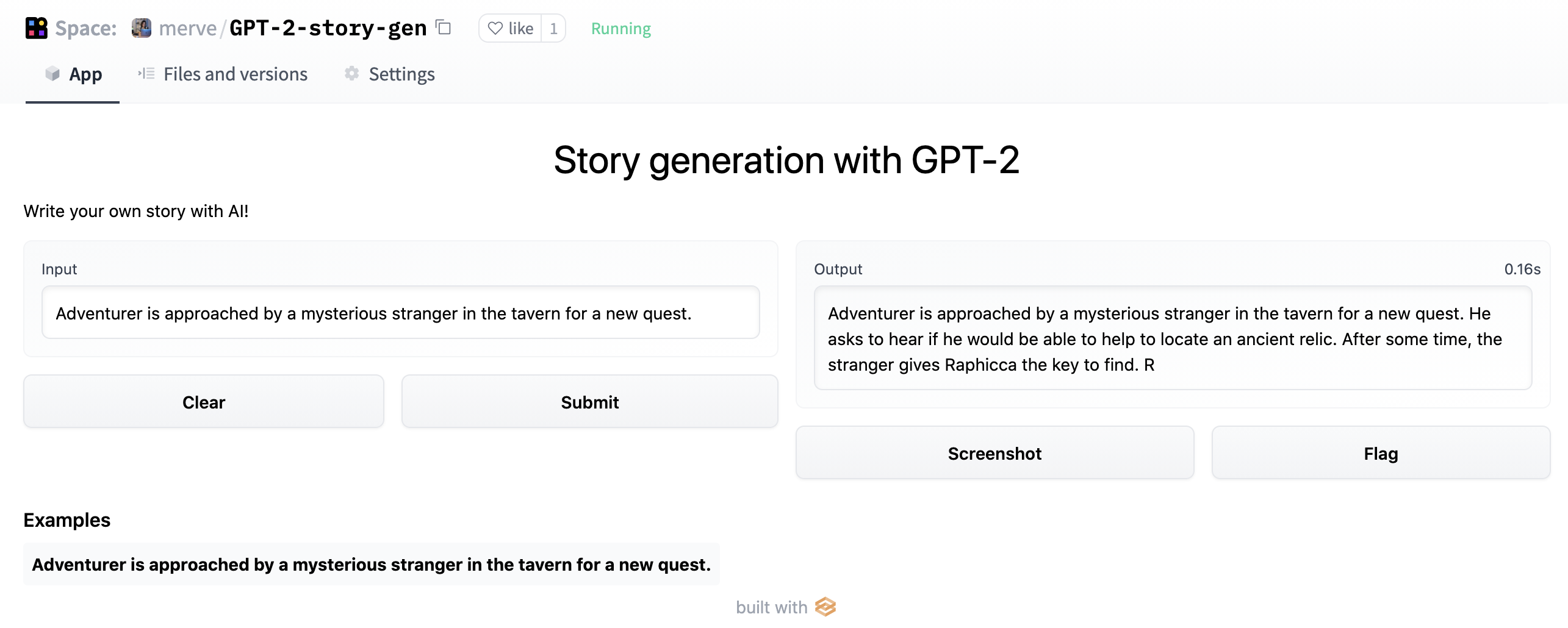
在底层,Gradio 调用的是 Inference API,该 API 不仅支持 Transformers,还支持 spaCy、SpeechBrain 和 Asteroid 等其他流行的机器学习框架。这种集成支持多种类型的模型,例如 image-to-text(图像转文本)、speech-to-text(语音转文本)、text-to-speech(文本转语音)等。你可以在这里查看这个 BigGAN ImageNet text-to-image(文本生成图像)模型的示例。具体实现如下所示。
import gradio as gr
description = "BigGAN text-to-image demo."
title = "BigGAN ImageNet"
interface = gr.Interface.load("huggingface/osanseviero/BigGAN-deep-128",
            description=description,
            title = title,
            examples=[["american robin"]]
)
interface.launch()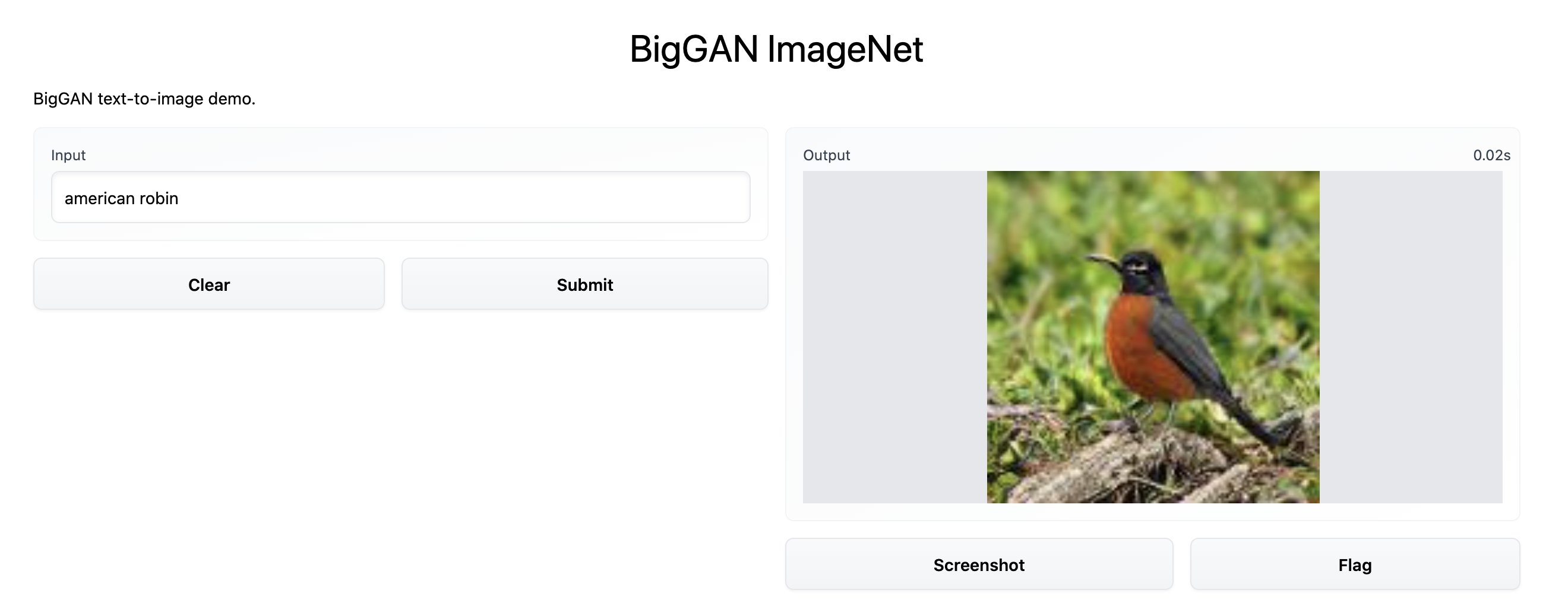
在 Hugging Face Spaces 中使用 Gradio 部署自定义模型检查点
即使 Inference API 不支持你的模型,你仍然可以在 Spaces 中部署它。只需按照下文所述,将模型推理过程封装到 Gradio Interface 中,并将其放入 Spaces 即可。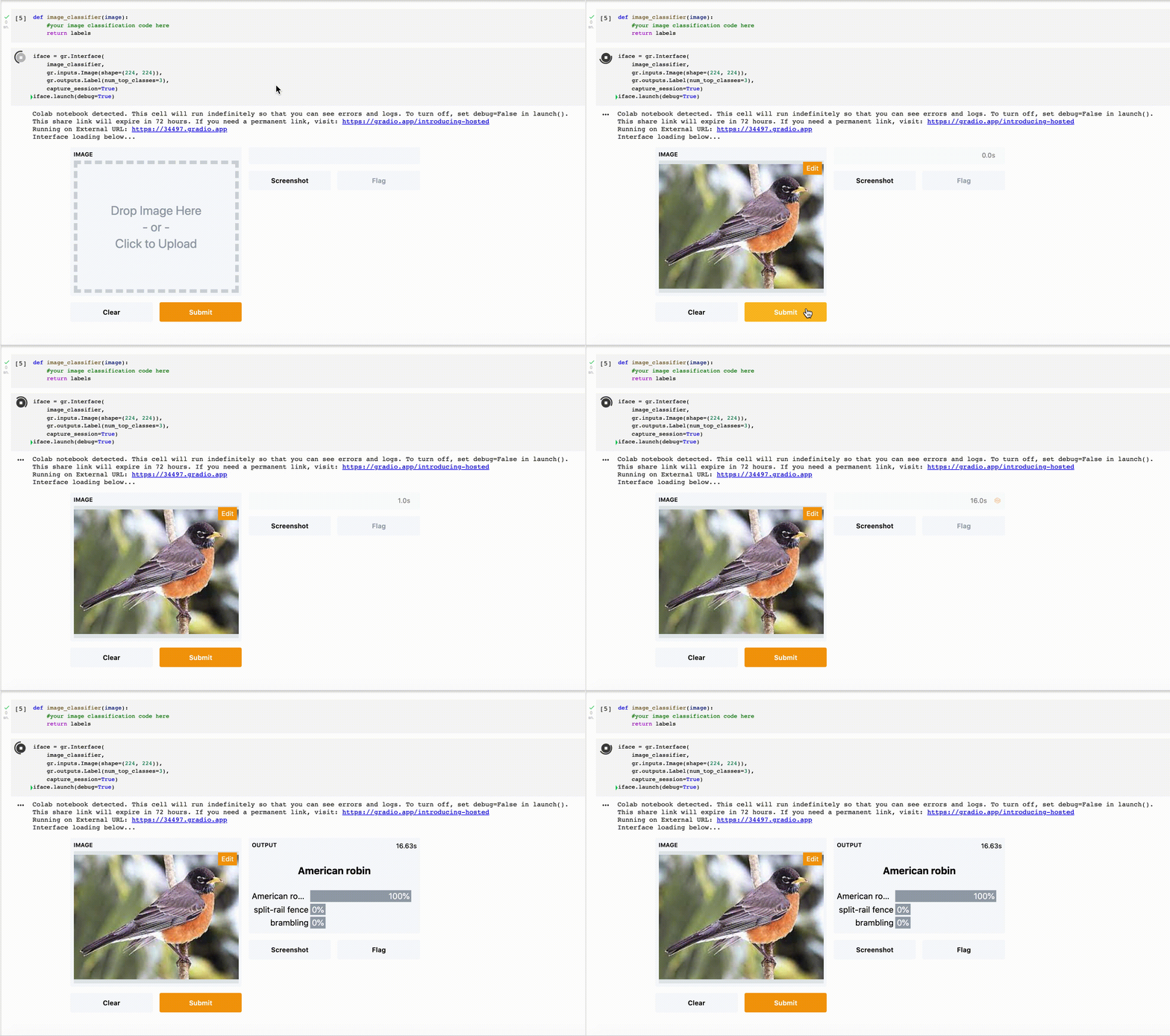
混合搭配模型!
使用 Gradio Series,你可以混合搭配不同的模型!在此示例中,我们在故事生成器上方放置了一个法语到英语的翻译模型,并在生成器模型末尾放置了一个英语到法语的翻译模型,从而简单地构建了一个法语故事生成器。
import gradio as gr
from gradio.mix import Series

description = "Generate your own D&D story!"
title = "French Story Generator using Opus MT and GPT-2"
translator_fr = gr.Interface.load("huggingface/Helsinki-NLP/opus-mt-fr-en")
story_gen = gr.Interface.load("huggingface/pranavpsv/gpt2-genre-story-generator")
translator_en = gr.Interface.load("huggingface/Helsinki-NLP/opus-mt-en-fr")
examples = [["L'aventurier est approché par un mystérieux étranger, pour une nouvelle quête."]]

Series(translator_fr, story_gen, translator_en, description = description,
        title = title,
        examples=examples, inputs = gr.inputs.Textbox(lines = 10)).launch()
You can check out the French Story Generator here 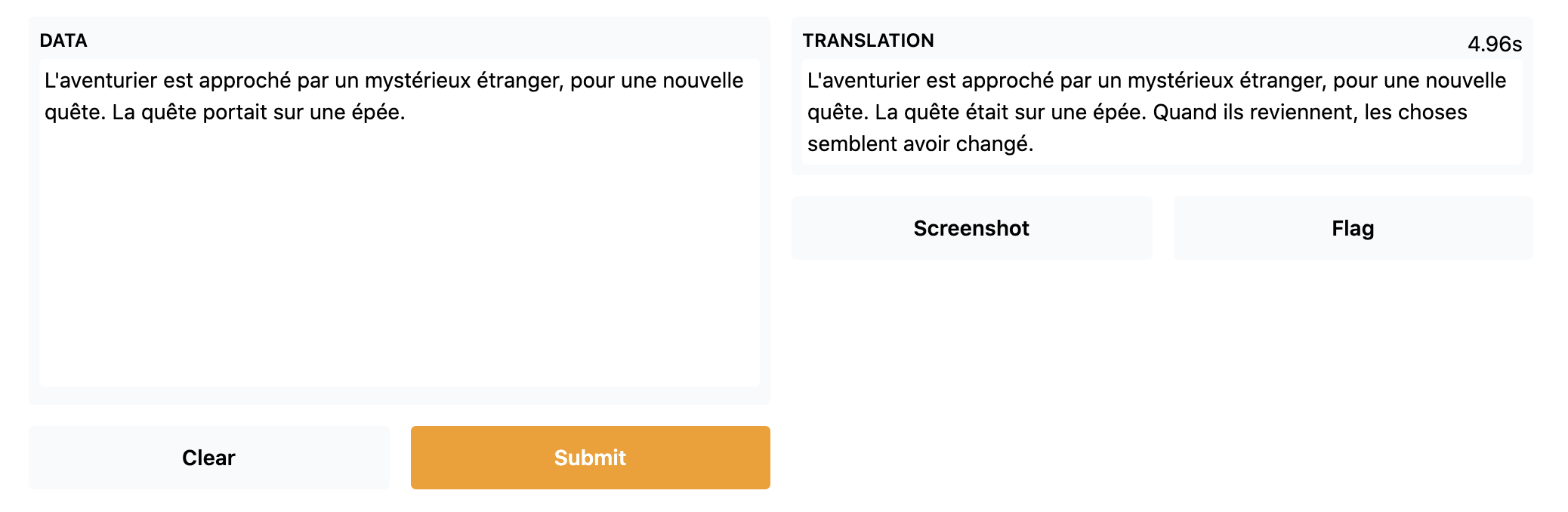
Uploading your Models to the Spaces
You can serve your demos in Hugging Face thanks to Spaces! To do this, simply create a new Space, and then drag and drop your demos or use Git.
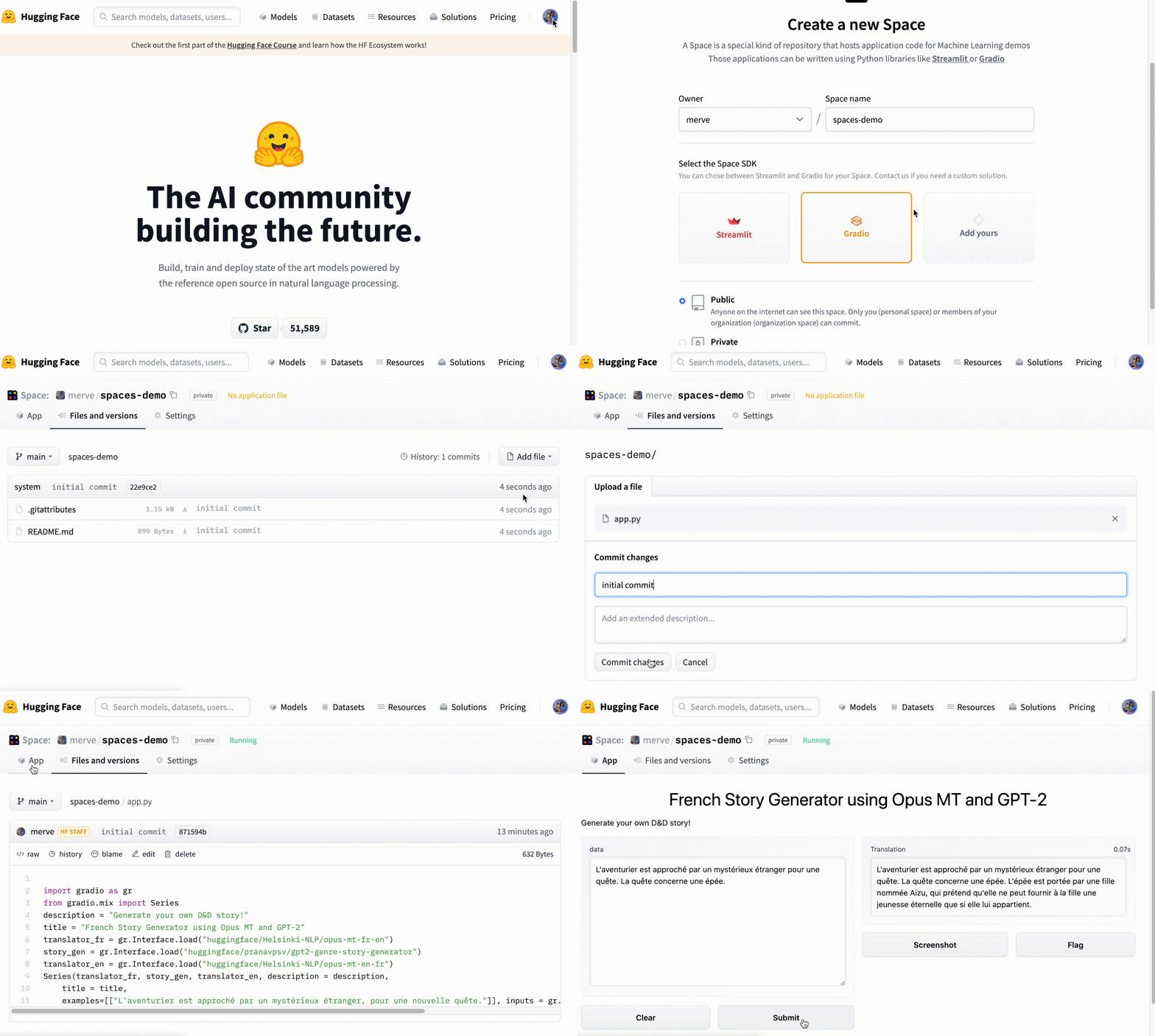
Easily build your first demo with Spaces here!