OpenAI 开源 Codex App Server:统一多端智能体架构
OpenAI 发布并开源了 Codex App Server,这是一个基于 JSON-RPC 的双向 API,旨在统一支撑 Web、CLI、IDE 及 macOS 等多端 Codex 体验。该服务器封装了核心的智能体循环逻辑,为开发者提供了将 Codex 能力集成到自有产品中的标准化接口与最佳实践指南。
关联知识实体
报道正文
本文目录14 个章节
OpenAI 的编码智能体 Codex 存在于多种不同的交互界面中:Web 应用、CLI、IDE 扩展,以及 全新的 Codex macOS 应用。在底层,它们均由同一个 Codex harness(即支撑所有 Codex 体验的智能体循环与逻辑)驱动。连接这些界面的关键纽带是什么?是 Codex App Server,一个面向客户端、双向的 JSON-RPC<sup>1</sup> API。
在本文中,我们将介绍 Codex App Server;分享我们在将 Codex 的能力集成到产品中、帮助用户提升工作流效率方面的最佳实践心得。我们将涵盖 App Server 的架构与协议、它如何与不同的 Codex 界面集成,以及关于如何利用 Codex 的技巧——无论你想将其打造为代码审查员、SRE 智能体还是编程助手。
App Server 的起源
在深入探讨架构之前,了解 App Server 的背景故事会有所帮助。起初,App Server 是一种在不同产品间复用 Codex harness 的实用方案,后来逐渐演变为我们的标准协议。
Codex CLI 最初是一个 TUI(终端用户界面),意味着用户通过终端访问 Codex。当我们构建 VS Code 扩展(一种更贴合 IDE 环境的 Codex 智能体交互方式)时,我们需要一种方法来使用相同的 harness,以便从 IDE UI 驱动相同的智能体循环,而无需重新实现它。这意味着需要支持超越请求/响应模式的丰富交互范式,例如探索工作区、在智能体推理过程中流式传输进度,以及输出 diff。我们首先尝试了将 Codex 作为 MCP server 暴露出来,但发现维护符合 VS Code 需求的 MCP 语义非常困难。因此,我们引入了一个镜像 TUI 循环的 JSON-RPC 协议,这成为了 App Server 的非官方第一版。当时,我们并未预期其他客户端会依赖 App Server,因此它并非设计为一个稳定的 API。
随着 Codex 在接下来几个月中的采用率不断攀升,内部团队和外部合作伙伴希望能够在自己的产品中嵌入相同的运行框架(harness),以加速用户的软件开发工作流。例如,JetBrains 和 Xcode 需要 IDE 级别的智能体体验,而 Codex 桌面应用则需要并行编排多个 Codex 智能体。这些需求促使我们设计一个平台接口层,确保我们的产品和合作伙伴集成能够长期安全地依赖它。该接口层必须易于集成且具备向后兼容性,这意味着我们可以演进协议而不破坏现有客户端。
接下来,我们将介绍如何设计架构和协议,以便不同的客户端可以使用同一个运行框架。
Codex 运行框架内部机制
首先,让我们深入探讨 Codex 运行框架的内部结构,以及 Codex App Server 如何将其暴露给客户端。在我们上一篇关于 Codex 的 博客中,我们详细解析了协调用户、模型和工具交互的核心智能体循环。这是 Codex 运行框架的核心逻辑,但完整的智能体体验还包含更多内容:
1. 线程生命周期与持久化。线程是用户与智能体之间的 Codex 对话。Codex 负责创建、恢复、分叉和归档线程,并持久化事件历史,以便客户端可以重新连接并渲染一致的时间线。
2. 配置与认证。Codex 加载配置、管理默认设置,并执行诸如“使用 ChatGPT 登录”等认证流程,包括凭证状态的管理。
3. 工具执行与扩展。Codex 在沙箱中执行 shell/文件工具,并接入 MCP 服务器和技能等集成,使它们能够在一致的策略模型下参与智能体循环。
我们在此提到的所有智能体逻辑,包括核心智能体循环,都位于 Codex CLI 代码库中一个名为 “Codex core(opens in a new window)” 的部分。Codex core 既是一个存放所有智能体代码的库,也是一个运行时环境,可启动以运行智能体循环并管理单个 Codex 线程(对话)的持久化。
为了发挥效用,Codex 运行框架需要对客户端可访问。这就是 App Server 发挥作用的地方。
App Server 既是客户端与服务器之间的 JSON-RPC 协议,也是承载 Codex 核心线程的长生命周期进程。从上面的图中可以看出,一个 App Server 进程包含四个主要组件:stdio 读取器、Codex 消息处理器、线程管理器和核心线程。线程管理器为每个线程启动一个核心会话,随后 Codex 消息处理器直接与每个核心会话通信,以提交客户端请求并接收更新。
一次客户端请求可能会产生许多事件更新,而这些详细的事件正是我们能够在 App Server 之上构建丰富 UI 的基础。此外,stdio 读取器和 Codex 消息处理器充当了客户端与 Codex 核心线程之间的翻译层。它们将客户端的 JSON-RPC 请求转换为 Codex 核心操作,监听 Codex 核心的内部事件流,然后将这些底层事件转换为一组稳定的、适用于 UI 的 JSON-RPC 通知。
客户端与 App Server 之间的 JSON-RPC 协议是完全双向的。典型的线程交互包含一个客户端请求和多个服务器通知。此外,当代理需要输入(例如审批)时,服务器可以发起请求,然后暂停当前轮次,直到客户端响应。
对话原语
接下来,我们将拆解对话原语,即 App Server 协议的构建模块。为代理循环设计 API 颇具挑战性,因为用户/代理交互并非简单的请求/响应模式。一次用户请求可能展开为一个结构化的动作序列,客户端需要忠实地呈现这一过程:包括用户的输入、代理的增量进度以及过程中产生的工件(例如 diff)。为了使这种交互流易于集成并在不同 UI 中保持稳健,我们确定了三个具有清晰边界和生命周期的核心原语:
1. Item(条目):Item 是 Codex 中输入/输出的原子单元。Items 是有类型的(例如用户消息、代理消息、工具执行、审批请求、diff),并且每个都有明确的生命周期:
-
item/started:当条目开始时触发 -
可选的
item/*/delta事件:随着内容流入而触发(针对支持流式传输的条目类型) -
item/completed:当条目最终确定并携带其终止载荷时触发
这种生命周期允许客户端在收到 started 时立即开始渲染,在收到 delta 时流式处理增量更新,并在收到 completed 时完成最终化。
2. Turn(回合): 一个回合是由用户输入发起的、代理执行工作的一个单元。它始于客户端提交输入(例如,“运行测试并总结失败项”),止于代理完成该输入的输出生成。一个回合包含一系列条目(items),代表中间步骤及过程中产生的输出。
3. Thread(线程): 线程是用户与代理之间持续进行的 Codex 会话的持久化容器。它包含多个回合。线程可以被创建、恢复、分叉和归档。线程历史会被持久化存储,以便客户端重新连接时能渲染出一致的时间线。
接下来,我们将查看一个简化的客户端与代理之间的对话示例,其中对话由原语(primitives)表示:
在对话开始时,客户端和服务器需要建立 initialize 握手。客户端必须在调用任何其他方法之前发送单个 initialize 请求,服务器则通过响应进行确认。这使服务器有机会宣告其能力,并让双方在实际工作开始前就协议版本、功能标志和默认设置达成一致。以下是来自 OpenAI VS Code 扩展的一个示例载荷:
这是服务器返回的内容:
当客户端发起新请求时,它会首先创建一个线程,然后创建一个回合。服务器将发回进度通知(thread/started 和 turn/started)。它还会将注册为条目的输入发回,例如此处的用户消息。
工具调用也会作为条目发回给客户端。此外,服务器可能会在执行操作前通过发送服务器请求来征求客户端批准。批准过程会暂停当前回合,直到客户端回复“允许”或“拒绝”。以下是 VS Code 扩展中的批准流程外观:
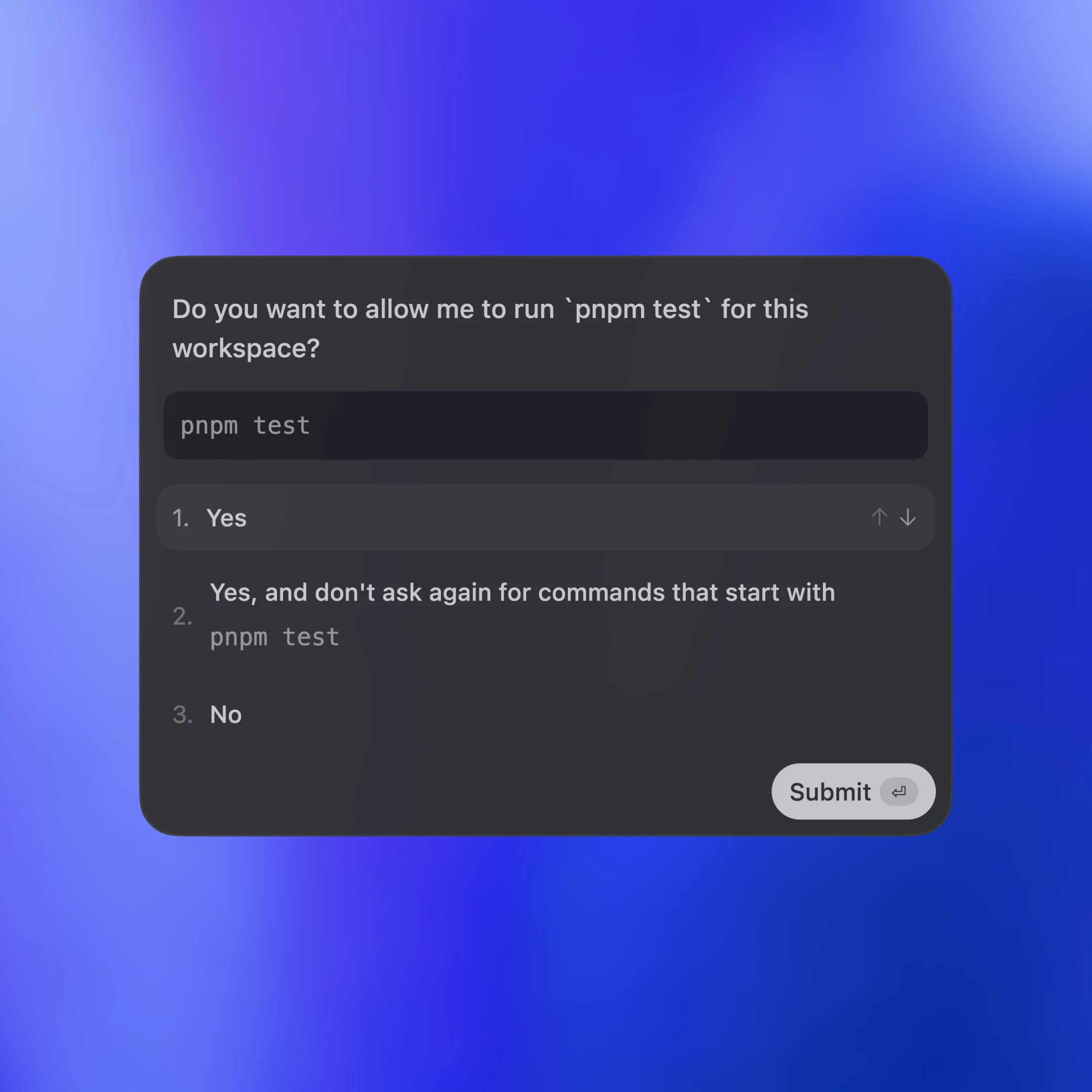
最后,服务器发送一条代理消息,然后通过 turn/completed 结束该回合。代理消息增量事件(delta events)会将消息片段流式传回,直到消息通过 item/completed 最终确定。
[注:本文篇幅超长,以上为核心前篇精译,后续内容保留原文呈现]
The messages in the diagram are simplified for readability. If you want to see the JSON for a full turn, you can run the test client from the Codex CLI repo:
Integrating with clients
Now, let’s look at how different client surfaces embed Codex via the App Server. We’ll cover three patterns: local apps and IDEs, Codex web runtime, and the TUI.
Across all three, the transport is JSON-RPC over stdio (JSONL). JSON-RPC makes it straightforward to build client bindings in the language of your choice. Codex surfaces and partner integrations have implemented App Server clients in languages including Go, Python, TypeScript, Swift, and Kotlin. For TypeScript, you can generate definitions directly from the Rust protocol by running:
For other languages, you can generate a JSON Schema bundle and feed it into your preferred code generator by running:
Local Apps & IDEs
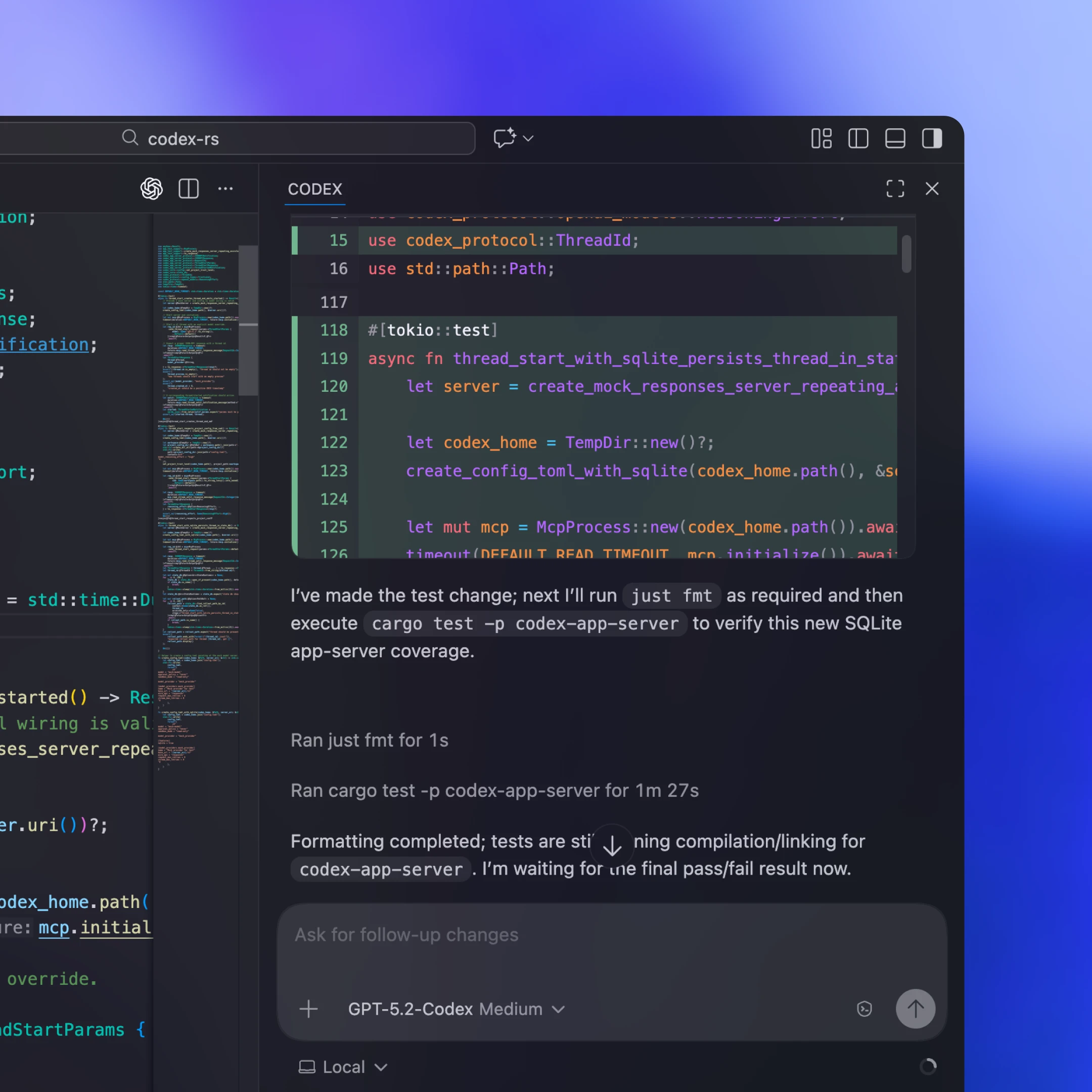
Local clients typically bundle or fetch a platform-specific App Server binary, launch it as a long-running child process, and keep a bidirectional stdio channel open for JSON-RPC. In our VS Code extension and Desktop App, for example, the shipped artifact includes the platform-specific Codex binary and is pinned to a tested version so the client always runs the exact bits we validated.
Not every integration can ship client updates frequently. Some partners like Xcode decouple release cycles by keeping the client stable and allowing it to point to a newer App Server binary when needed. That way they can adopt server-side improvements (for example, better auto-compaction in Codex core or newly supported config keys) and roll out bug fixes without waiting for a client release. The App Server’s JSON-RPC surface is designed to be backward compatible, so older clients can talk to newer servers safely.
Codex Web
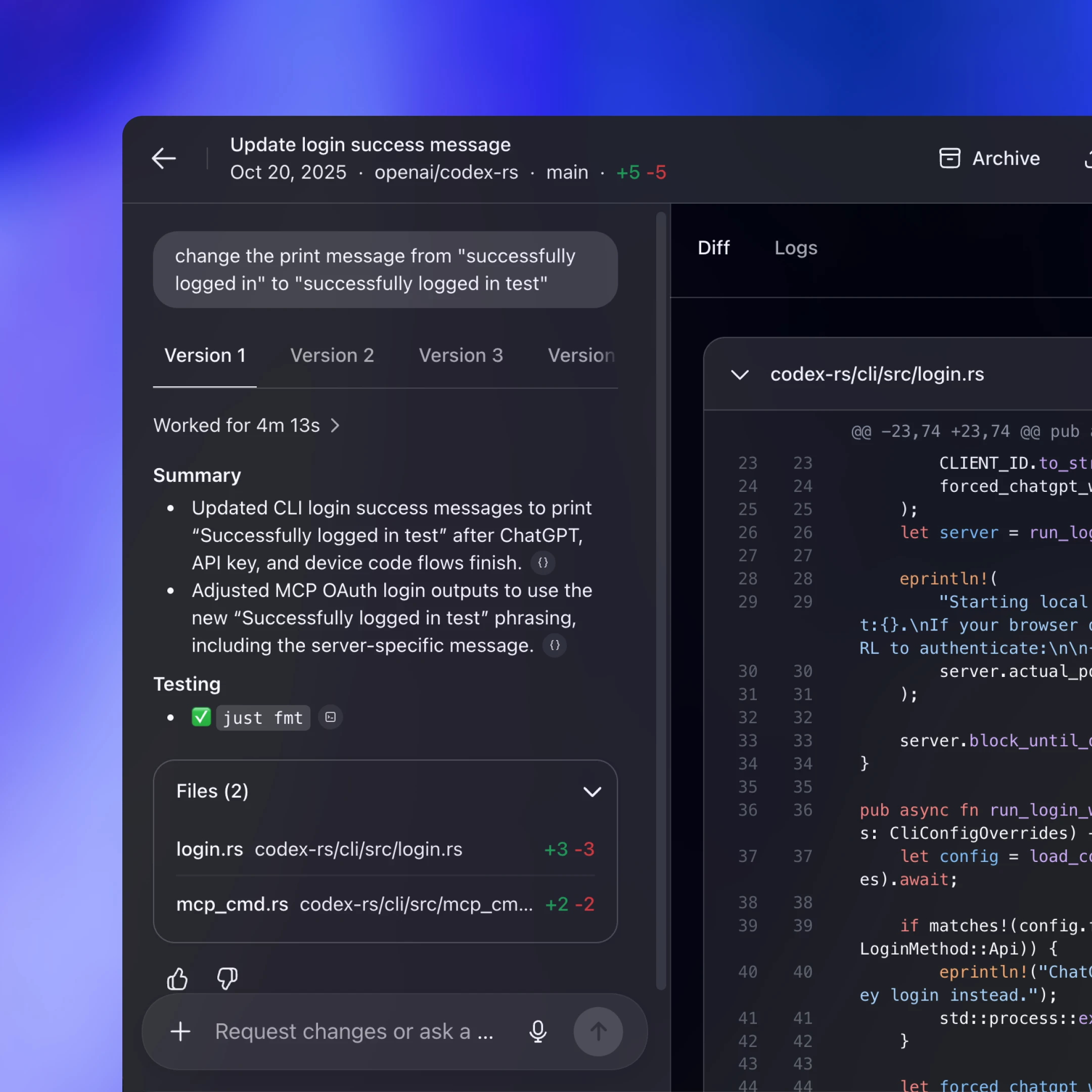
Codex Web uses the Codex harness, but runs it in a container environment. A worker provisions a container with the checked-out workspace, launches the App Server binary inside it, and maintains a long-lived JSON-RPC over stdio2 channel. The web app (running in the user’s browser tab) talks to the Codex backend over HTTP and SSE, which streams task events produced by the worker. This keeps the browser-side UI lightweight while still giving us a consistent runtime across desktop and web.
Because web sessions are ephemeral (tabs close, networks drop), the web app cannot be the source of truth for long-running tasks. Keeping state and progress on the server means work continues even if the tab disappears. The streaming protocol and saved thread sessions make it easy for a new session to reconnect, pick up where it left off, and catch up without rebuilding state in the client.
TUI/Codex CLI
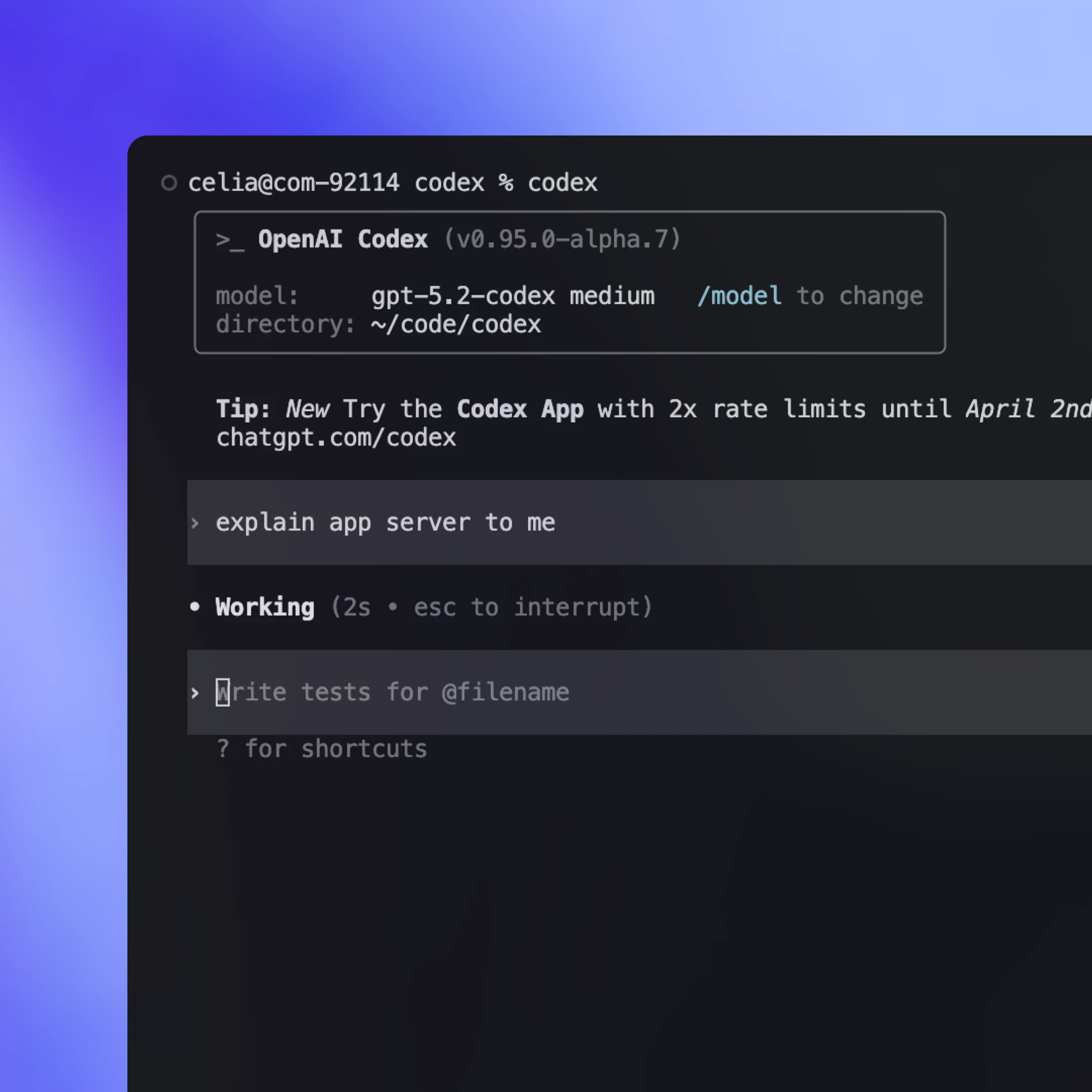
Historically, the TUI was a “native” client that ran in the same process as the agent loop and talked directly to Rust core types rather than the app-server protocol. That made early iteration fast, but it also made the TUI a special-case surface.
Now that the App Server exists, we plan to refactor the TUI(opens in a new window) to use it so it behaves like any other client: launch an App Server child process, speak JSON-RPC over stdio, and render the same streaming events and approvals. This unlocks workflows where the TUI can connect to a Codex server running on a remote machine, keeping the agent close to compute and continuing work even if the laptop sleeps or disconnects, while still delivering live updates and controls locally.
Choosing the right protocol
Codex App Server will be the first-class integration method we maintain moving forward, but there are also other methods with more limited functionality. By default, we’d recommend that clients use Codex App Server to integrate with Codex, but it’s worth taking a look at different integration methods and understanding their pros and cons. Below are the most common ways to drive Codex and when each might be a good fit.
JSON-RPC protocols
Codex as an MCP server
Run codex mcp-server(opens in a new window) and connect from any MCP client that supports stdio servers (e.g., OpenAI Agents SDK(opens in a new window)). This is a good fit if you already have an MCP-based workflow and want to invoke Codex as a callable tool. The downside is that you only get what MCP exposes, so Codex-specific interactions that rely on richer session semantics (e.g., diff updates) may not map cleanly through MCP endpoints.
Cross-provider agent harness protocols
Some ecosystems offer a portable interface that can target multiple model providers and runtimes. This can be a good fit if you want one abstraction that coordinates multiple agents. The tradeoff is that these protocols often converge on the common subset of capabilities, which can make richer interactions harder to represent, especially when provider-specific tool and session semantics matter. This space is evolving quickly, and we expect that more common standards will emerge as we figure out the best primitives to represent real-world agent workflows (skills(opens in a new window) is a good example of this).
Codex App Server
Choose the App Server when you want the full Codex harness exposed as a stable, UI-friendly event stream. You get both the full functionality of the agent loop and other supporting features like Sign in with ChatGPT, model discovery, and configuration management. The main cost is integration work, since you need to build the client-side JSON-RPC binding in your language. In practice, however, Codex is able to do a lot of the heavy lifting if you feed it the JSON schema and documentation. Many teams we worked with were able to make to a working integration quickly using Codex.
Other ways to Embed Codex
A lightweight, scriptable CLI mode for one-off tasks and CI runs. It’s a good fit for automation and pipelines where you want a single command to run to completion non-interactively, stream structured output for logs, and exit with a clear success or failure signal.
A TypeScript library for programmatically controlling local Codex agents from within your own application. It’s best when you want a native library interface for server-side tools and workflows without building a separate JSON-RPC client. Since it shipped earlier than the App Server, it currently supports fewer languages and a smaller surface area. If there is developer interest, we may add additional SDKs that wrap the App Server protocol so teams can cover more of the harness surface without writing JSON-RPC bindings.
Taking this forward
In this post, we shared how we approach designing a new standard for interacting with agents and how to turn the Codex harness into a stable, client-friendly protocol. We covered how the App Server exposes Codex core, lets clients drive the full agent loop, and powers a wide range of surfaces including the TUI, local IDE integrations, and the web runtime.
If this sparked ideas for integrating Codex into your own workflows, it’s worth giving App Server a try. All the source code lives in the Codex CLI open-source repo(opens in a new window). Feel free to share your feedback and feature requests. We’re excited to hear from you and to keep making agents more accessible to everyone.