Hugging Face 教程:从零训练语言模型
Hugging Face 发布教程,演示如何使用 Transformers 和 Tokenizers 库从零开始训练一个小型语言模型(EsperBERTo)。该模型拥有 84M 参数,针对低资源语言 Esperanto 进行预训练并微调词性标注任务。
关联知识实体
报道正文
本文目录9 个章节
如何使用 Transformers 和 Tokenizers 从零开始训练新的语言模型
发布于 2020 年 2 月 14 日 在 GitHub 上更新 点赞 64
过去几个月,我们对 transformers 和 tokenizers 库进行了多项改进,旨在让从零开始训练新语言模型变得比以往任何时候都更简单。
在本文中,我们将演示如何训练一个“小型”模型(84 M 参数 = 6 层,768 隐藏维度,12 个注意力头)——这与 DistilBERT 的层数和注意力头数相同——并在世界语(Esperanto)上进行训练。随后,我们将在词性标注这一下游任务上对该模型进行微调。
世界语是一种人造语言,其设计目标是易于学习。我们选择它作为本次演示的原因如下:
- 它是一种相对低资源语言(尽管约有 200 万人使用),因此这个演示比再训练一个英语模型更有趣 😁
- 它的语法高度规则(例如,所有普通名词以 -o 结尾,所有形容词以 -a 结尾),因此即使在小数据集上也能获得有趣的语言学结果。
- 最后,这种语言创立的根本宗旨是拉近人们的距离(促进世界和平与国际理解),可以说这与 NLP 社区的目标不谋而合 💚
注:你不需要懂世界语就能理解本文,但如果你想学习它,Duolingo 上有一门不错的课程,拥有 28 万活跃学习者。
我们的模型将命名为……敬请期待…… EsperBERTo 😂

1. 寻找数据集
首先,让我们找一个世界语文本语料库。这里我们将使用来自 INRIA 的 OSCAR 语料库中的世界语部分。OSCAR 是一个庞大的多语言语料库,通过对 Common Crawl 的网络抓取数据进行语言分类和过滤获得。

The Esperanto portion of the dataset is only 299M, so we’ll concatenate with the Esperanto sub-corpus of the Leipzig Corpora Collection, which is comprised of text from diverse sources like news, literature, and wikipedia.
The final training corpus has a size of 3 GB, which is still small – for your model, you will get better results the more data you can get to pretrain on.
2. Train a tokenizer
We choose to train a byte-level Byte-pair encoding tokenizer (the same as GPT-2), with the same special tokens as RoBERTa. Let’s arbitrarily pick its size to be 52,000.
We recommend training a byte-level BPE (rather than let’s say, a WordPiece tokenizer like BERT) because it will start building its vocabulary from an alphabet of single bytes, so all words will be decomposable into tokens (no more <unk> tokens!).
from pathlib import Path

from tokenizers import ByteLevelBPETokenizer

paths = [str(x) for x in Path("./eo_data/").glob("**/*.txt")]

tokenizer = ByteLevelBPETokenizer()

tokenizer.train(files=paths, vocab_size=52_000, min_frequency=2, special_tokens=[
    "<s>",
    "<pad>",
    "</s>",
    "<unk>",
    "<mask>",
])

tokenizer.save_model(".", "esperberto")
And here’s a slightly accelerated capture of the output:
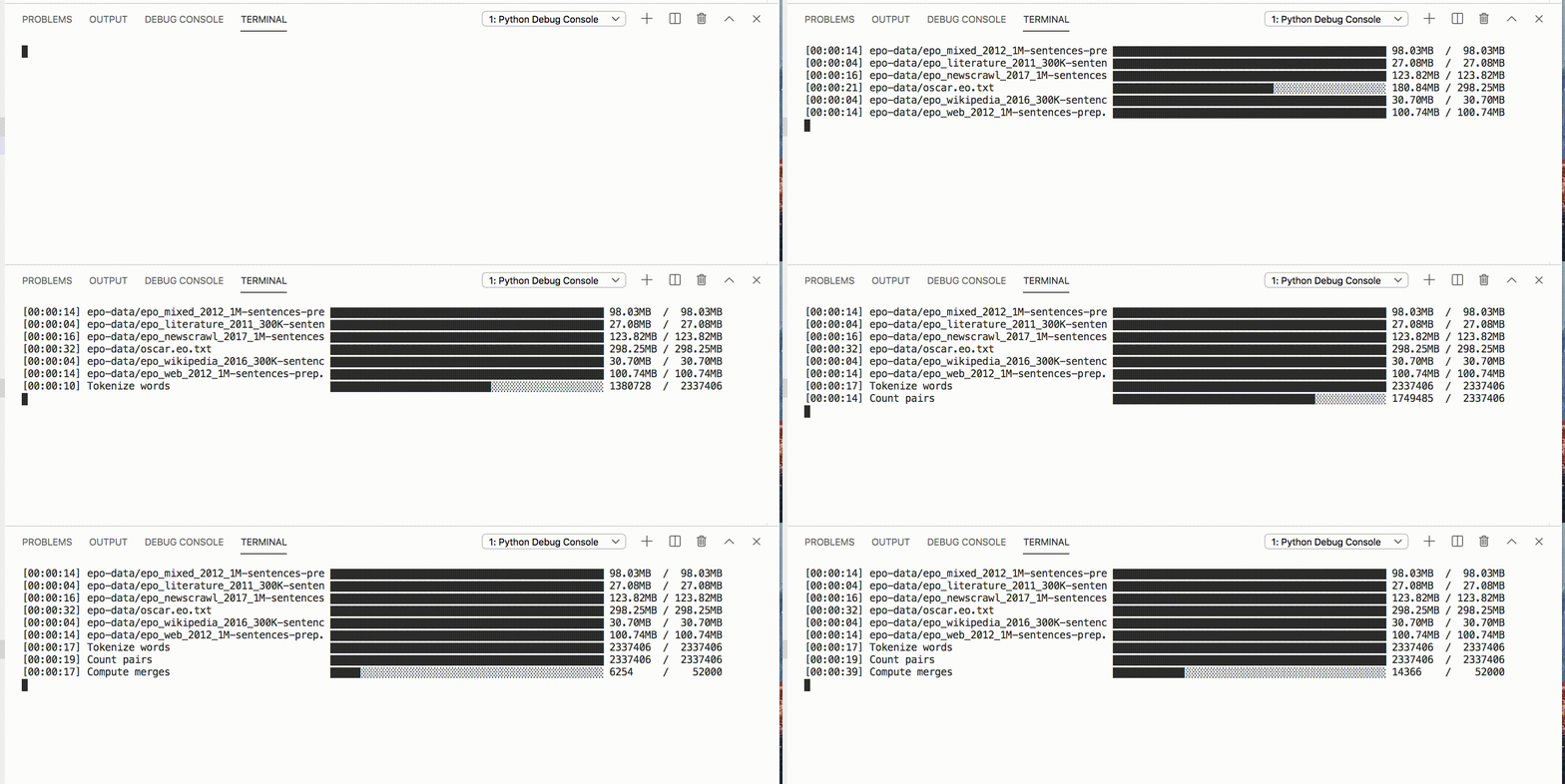 On our dataset, training took about ~5 minutes.
🔥🔥 Wow, that was fast! ⚡️🔥
We now have both a vocab.json, which is a list of the most frequent tokens ranked by frequency, and a merges.txt list of merges.
{
    "<s>": 0,
    "<pad>": 1,
    "</s>": 2,
    "<unk>": 3,
    "<mask>": 4,
    "!": 5,
    "\"": 6,
    "#": 7,
    "$": 8,
    "%": 9,
    "&": 10,
    "'": 11,
    "(": 12,
    ")": 13,
    # ...
}

# merges.txt
l a
Ġ k
o n
Ġ la
t a
Ġ e
Ġ d
Ġ p
# ...
What is great is that our tokenizer is optimized for Esperanto. Compared to a generic tokenizer trained for English, more native words are represented by a single, unsplit token. Diacritics, i.e. accented characters used in Esperanto – ĉ, ĝ, ĥ, ĵ, ŝ, and ŭ – are encoded natively. We also represent sequences in a more efficient manner. Here on this corpus, the average length of encoded sequences is ~30% smaller as when using the pretrained GPT-2 tokenizer.
Here’s how you can use it in tokenizers, including handling the RoBERTa special tokens – of course, you’ll also be able to use it directly from transformers.
from tokenizers.implementations import ByteLevelBPETokenizer
from tokenizers.processors import BertProcessing

tokenizer = ByteLevelBPETokenizer(
    "./models/EsperBERTo-small/vocab.json",
    "./models/EsperBERTo-small/merges.txt",
)
tokenizer._tokenizer.post_processor = BertProcessing(
    ("</s>", tokenizer.token_to_id("</s>")),
    ("<s>", tokenizer.token_to_id("<s>")),
)
tokenizer.enable_truncation(max_length=512)

print(
    tokenizer.encode("Mi estas Julien.")
)
3. Train a language model from scratch
Update: The associated Colab notebook uses our new Trainer directly, instead of through a script. Feel free to pick the approach you like best.
We will now train our language model using the run_language_modeling.py script from transformers (newly renamed from run_lm_finetuning.py as it now supports training from scratch more seamlessly). Just remember to leave --model_name_or_path to None to train from scratch vs. from an existing model or checkpoint.
We’ll train a RoBERTa-like model, which is a BERT-like with a couple of changes (check the documentation for more details).
As the model is BERT-like, we’ll train it on a task of Masked language modeling, i.e. the predict how to fill arbitrary tokens that we randomly mask in the dataset. This is taken care of by the example script.
We just need to do two things:
-
implement a simple subclass of
Datasetthat loads data from our text files -
Depending on your use case, you might not even need to write your own subclass of Dataset, if one of the provided examples (
TextDatasetandLineByLineTextDataset) works – but there are lots of custom tweaks that you might want to add based on what your corpus looks like. -
Choose and experiment with different sets of hyperparameters.
Here’s a simple version of our EsperantoDataset.
from torch.utils.data import Dataset

class EsperantoDataset(Dataset):
    def __init__(self, evaluate: bool = False):
        tokenizer = ByteLevelBPETokenizer(
            "./models/EsperBERTo-small/vocab.json",
            "./models/EsperBERTo-small/merges.txt",
        )
        tokenizer._tokenizer.post_processor = BertProcessing(
            ("</s>", tokenizer.token_to_id("</s>")),
            ("<s>", tokenizer.token_to_id("<s>")),
        )
        tokenizer.enable_truncation(max_length=512)

self.examples = []

src_files = Path("./data/").glob("*-eval.txt") if evaluate else Path("./data/").glob("*-train.txt")
        for src_file in src_files:
            print("🔥", src_file)
            lines = src_file.read_text(encoding="utf-8").splitlines()
            self.examples += [x.ids for x in tokenizer.encode_batch(lines)]

def __len__(self):
        return len(self.examples)

def __getitem__(self, i):

return torch.tensor(self.examples[i])
If your dataset is very large, you can opt to load and tokenize examples on the fly, rather than as a preprocessing step.
Here is one specific set of hyper-parameters and arguments we pass to the script:
    --output_dir ./models/EsperBERTo-small-v1
    --model_type roberta
    --mlm
    --config_name ./models/EsperBERTo-small
    --tokenizer_name ./models/EsperBERTo-small
    --do_train
    --do_eval
    --learning_rate 1e-4
    --num_train_epochs 5
    --save_total_limit 2
    --save_steps 2000
    --per_gpu_train_batch_size 16
    --evaluate_during_training
    --seed 42
As usual, pick the largest batch size you can fit on your GPU(s).
🔥🔥🔥 Let’s start training!! 🔥🔥🔥
Here you can check our Tensorboard for one particular set of hyper-parameters:
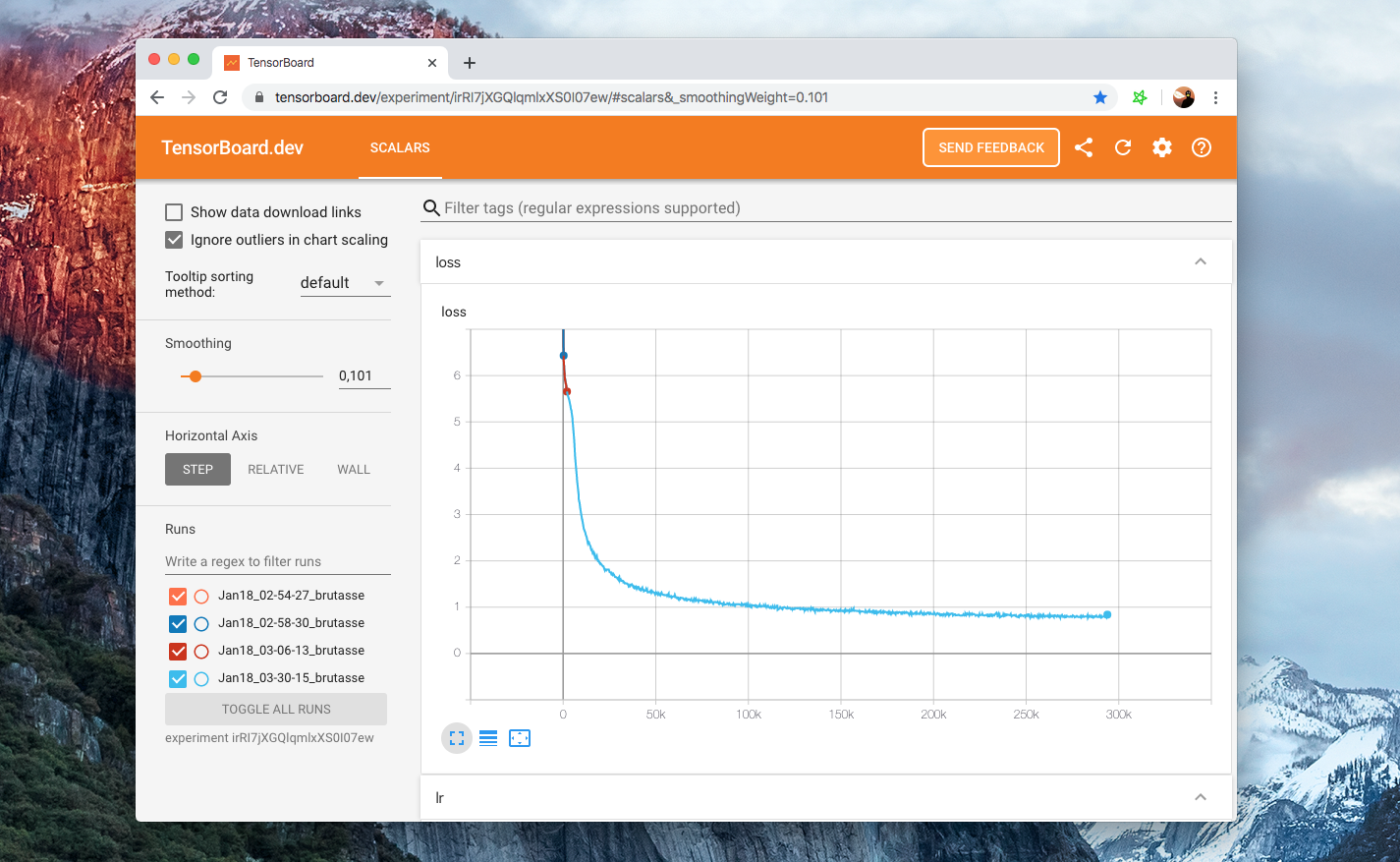
Our example scripts log into the Tensorboard format by default, under
runs/. Then to view your board just runtensorboard dev upload --logdir runs– this will set up tensorboard.dev, a Google-managed hosted version that lets you share your ML experiment with anyone.
4. Check that the LM actually trained
Aside from looking at the training and eval losses going down, the easiest way to check whether our language model is learning anything interesting is via the FillMaskPipeline.
[注:本文篇幅超长,以上为核心前篇精译,后续内容保留原文呈现]
Pipelines are simple wrappers around tokenizers and models, and the 'fill-mask' one will let you input a sequence containing a masked token (here, <mask>) and return a list of the most probable filled sequences, with their probabilities.
from transformers import pipeline

fill_mask = pipeline(
    "fill-mask",
    model="./models/EsperBERTo-small",
    tokenizer="./models/EsperBERTo-small"
)

result = fill_mask("La suno <mask>.")
Ok, simple syntax/grammar works. Let’s try a slightly more interesting prompt:
fill_mask("Jen la komenco de bela <mask>.")“Jen la komenco de bela tago”, indeed!
With more complex prompts, you can probe whether your language model captured more semantic knowledge or even some sort of (statistical) common sense reasoning.
5. Fine-tune your LM on a downstream task
We now can fine-tune our new Esperanto language model on a downstream task of Part-of-speech tagging.
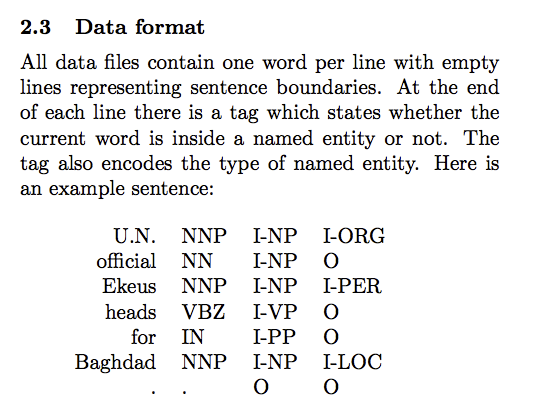
As mentioned before, Esperanto is a highly regular language where word endings typically condition the grammatical part of speech. Using a dataset of annotated Esperanto POS tags formatted in the CoNLL-2003 format (see example below), we can use the run_ner.py script from transformers.
POS tagging is a token classification task just as NER so we can just use the exact same script.
Again, here’s the hosted Tensorboard for this fine-tuning. We train for 3 epochs using a batch size of 64 per GPU.
Training and eval losses converge to small residual values as the task is rather easy (the language is regular) – it’s still fun to be able to train it end-to-end 😃.
This time, let’s use a TokenClassificationPipeline:
from transformers import TokenClassificationPipeline, pipeline

MODEL_PATH = "./models/EsperBERTo-small-pos/"

nlp = pipeline(
    "ner",
    model=MODEL_PATH,
    tokenizer=MODEL_PATH,
)

nlp("Mi estas viro kej estas tago varma.")
Looks like it worked! 🔥
For a more challenging dataset for NER, @stefan-it recommended that we could train on the silver standard dataset from WikiANN
6. Share your model 🎉
Finally, when you have a nice model, please think about sharing it with the community:
-
upload your model using the CLI:
transformers-cli upload -
write a README.md model card and add it to the repository under
model_cards/. Your model card should ideally include: -
a model description,
-
training params (dataset, preprocessing, hyperparameters),
-
evaluation results,
-
intended uses & limitations
-
whatever else is helpful! 🤓
TADA!
➡️ Your model has a page on https://huggingface.co/models and everyone can load it using AutoModel.from_pretrained("username/model_name").
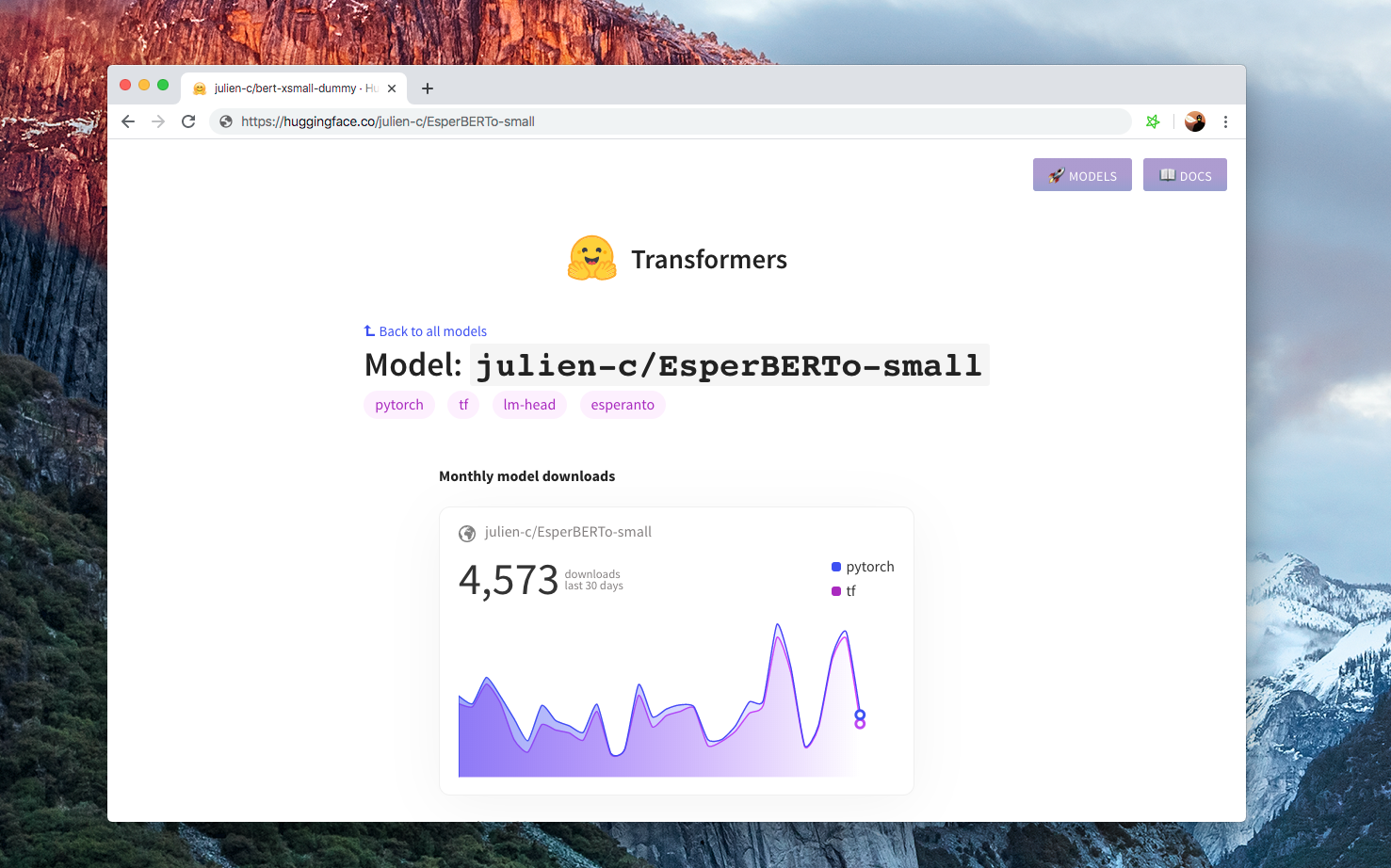
If you want to take a look at models in different languages, check https://huggingface.co/models

Thank you!